
Detailed Overview
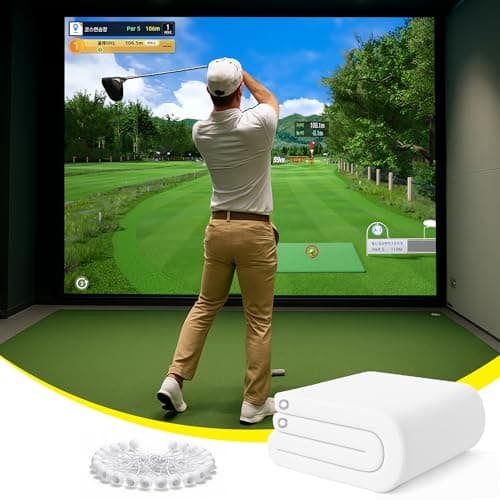
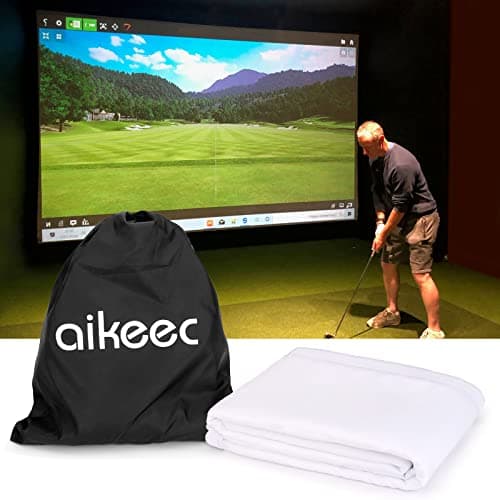
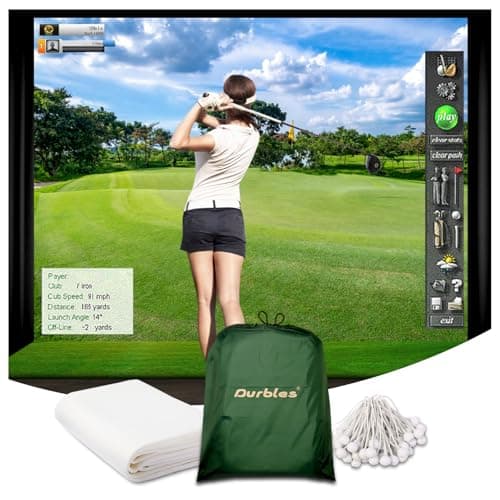
Inside a full simulator build, the screen is the one component that has to satisfy two very different jobs at once: it's the actual impact surface for real golf balls and it's also the projection canvas for your launch monitor's software. That dual role shapes how this Durbles screen fits into a broader setup. At 9.8 by 8.5 feet, it's sized to match a typical DIY frame or enclosure rather than a small tabletop hitting net, so plan your frame width and projector throw distance around those dimensions rather than the other way around. The white finish is a practical choice here too, since a neutral, light surface gives the projector something clean to render color and contrast against, which matters more than people expect once you're staring at a course rendering for hours. Because it has to hold up to repeated ball strikes while still displaying a usable image, it sits in that middle ground buyers look for between disposable range-mat screens and full commercial installations, and some shoppers researching premium options do flag it as a reasonable value pick in that tier. Whether that holds for your specific frame, netting, and projector combination depends on how those pieces are assembled together, not on the screen alone.
Specifications Explained
The spec that actually matters here isn't the screen material or color, it's the fact that this ships as a single piece rather than multiple panels. A one-piece screen means no seams to align, no risk of gaps opening up between panels after repeated ball strikes, and a more consistent surface for tracking data if you're pairing this with a launch monitor. Setup is simpler too: you're hanging or tensioning one continuous sheet instead of fussing with connectors between sections. For a home simulator build, that translates directly into fewer failure points and less time spent troubleshooting sagging or misaligned seams down the line. Where the research is thin is on frame compatibility and whether this screen doubles as a home theater projector surface when you're not hitting balls. Those are legitimate questions for anyone shopping this, but the supplied specifications here don't give enough to answer either one with confidence.
Real-World Considerations
Community and review patterns point to two recurring themes worth weighing before buying. Several independent reviewers describe the screen as notably quiet during use, crediting the sound-damping middle layer for cutting down on impact noise and vibration, which matters if practice sessions happen late at night or in a shared space. That said, not every source frames this the same way, and how much quieter it actually feels likely depends on swing speed, ball type, and mounting setup, so treat the quiet reputation as a general tendency rather than a guarantee for every user.
On the other side, some reviewers note the triple-layer build adds noticeable weight compared to single-layer alternatives, which can make mounting, retracting, or repositioning it more of a chore. If the plan involves a retractable setup or a multipurpose space where the screen needs to come down often, that added heft is a real consideration worth factoring into the decision before ordering.
Alternatives Worth Considering
If frequent retracting or repositioning matters more than raw performance, this screen's weight and stiffness work against it, so a lighter single-layer screen built specifically for retractable mounts is worth a look instead. Buyers chasing the lowest possible price point should know this sits in the premium tier, recognized mainly for offering strong value relative to other premium options rather than being the cheapest screen on the market. For a fixed, permanent setup in a home studio or small commercial bay, the combination of durable impact surface, sharp HD visuals, and noise control here is hard to match without giving up one of those qualities. The research doesn't cover specific named competitor products, so treat these as general trade-offs rather than direct comparisons.
Buying Advice
This screen works best for someone building a semi-permanent simulator bay, not a golfer who needs to fold up or retract the setup after every session. If your space already has an enclosure or frame system, confirm fit before buying, my research turned up the compatibility question but not a definitive answer. Same goes for wall-to-wall installs versus a smaller insert: worth checking against your specific room before committing. If you're pairing this with a launch monitor, verify that shot tracking accuracy holds up in your setup, since I didn't find conclusive testing there either. Buyers hoping to double it as a home theater screen, or those needing exact projector resolution and aspect ratio guidance, should treat that as unresolved rather than assumed. Long-term durability under frequent practice also remains an open question in the reviews I found.
Considering it? Check the price of Durbles Golf Simulator Impact Screen, Premium Triple Layer Launch Monitor Projector Screen with HD Visuals, Indoor Practice Screen for Enclosure and Net, Hitting Screen with Grommets & Bungee Cords
$159.99 on Amazon
Editorial Verdict
Weighing the evidence, the triple-layer build is the clearest differentiator here: the HD outer layer, damping middle, and impact-resistant inner layer give it a durability edge over single-layer budget screens, backed by pre-installed grommets and bungee cords that simplify setup in standard enclosures. Reviewers frequently rank it among the top overall picks, and its versatility across home studios and small commercial setups supports that reputation, though some sources dispute how much quieter it truly is versus competitors, and others flag the added weight and higher price relative to basic screens. If budget is the priority, a single-layer screen will cost less. But for anyone prioritizing build quality and long-term durability over the rock-bottom price, this screen earns its recommendation.