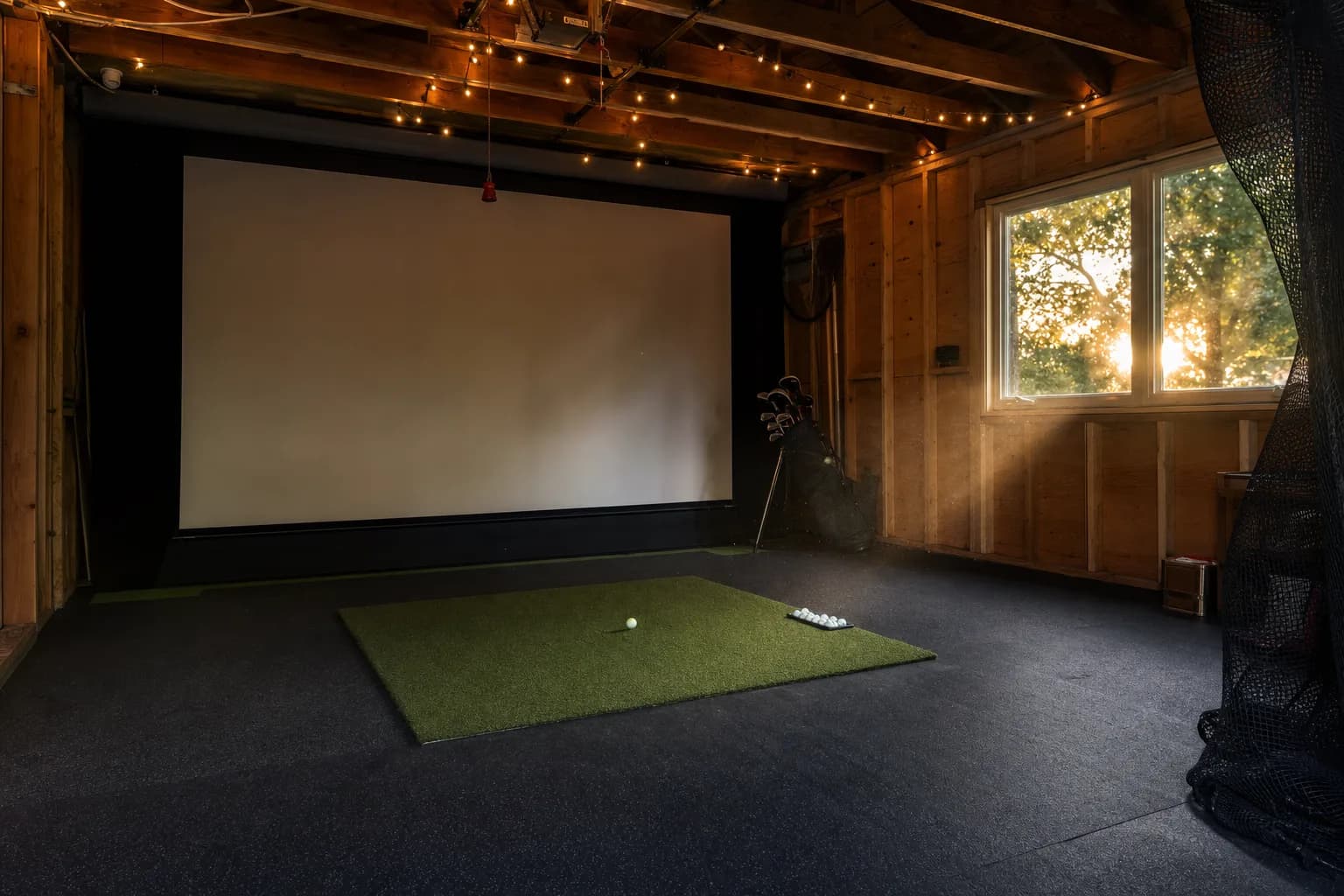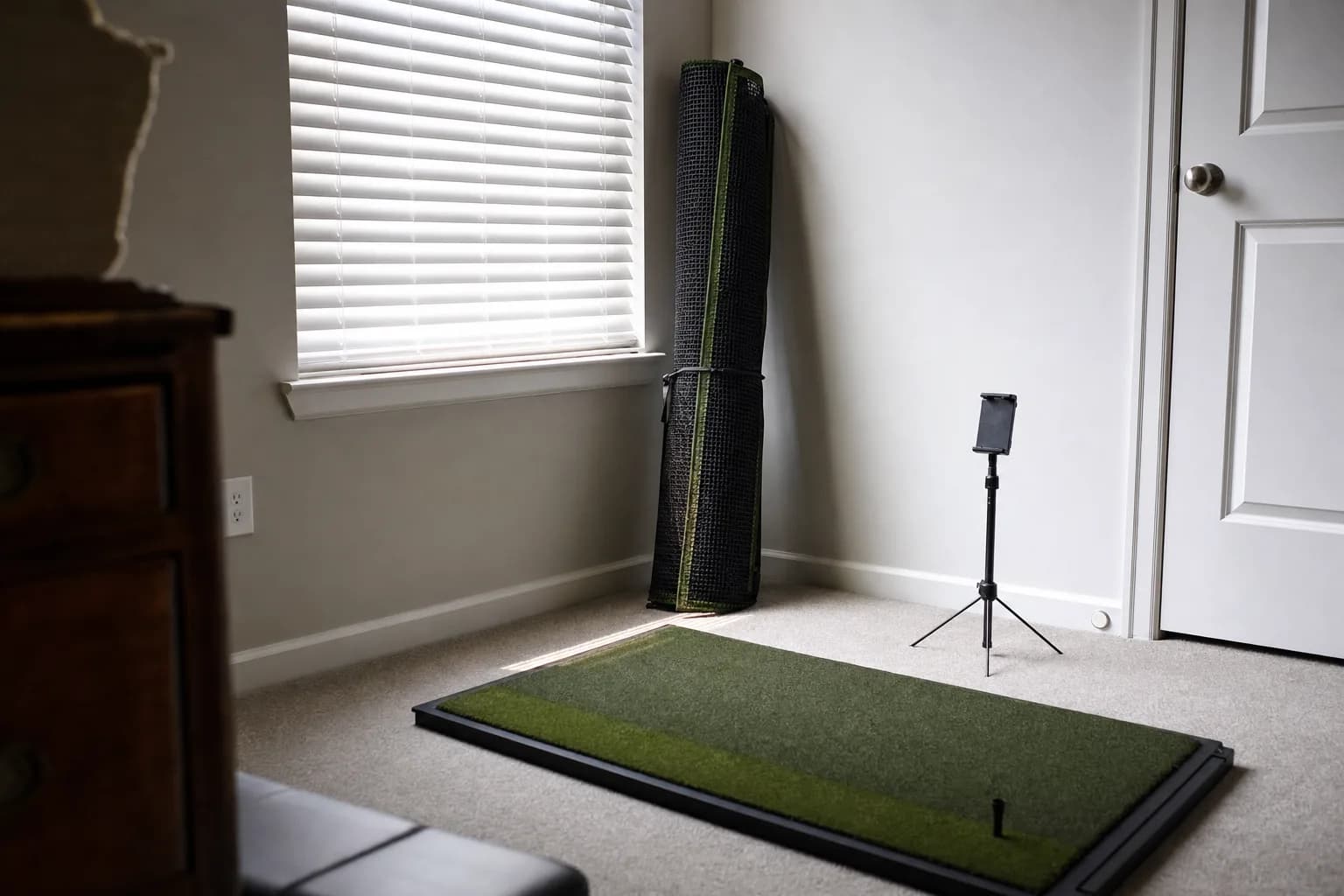

What a budget launch monitor actually buys you
Spending under about $700 on a launch monitor does not mean settling for numbers you cannot trust. It means being clear about which numbers you are getting. Every unit in this roundup reports club speed, ball speed, smash factor and an estimated carry that independent tests have repeatedly found close to far more expensive systems on full swings. What you give up at this price is direct spin measurement, club path and face data, reliable wedge and short-iron numbers, and in most cases the ability to run simulator course play.
So the real question is not whether cheap launch monitors work. It is which compromise you can live with: net-practice speed trainer with no ongoing cost, or a budget simulator unit that needs software, space and a subscription.
The other thing worth setting straight up front is what changes as you move up within the budget band itself. A $180 pocket unit and a $600 hybrid unit are both budget, but the extra money buys measured spin instead of modelled spin, swing video, simulator compatibility, and a companion app that visualises the data properly. It does not buy meaningfully better ball and club speed, which the cheapest units already do well. Spend up for the features, not for the core numbers.
Do cheap launch monitors work? For practice, yes. Bench tests routinely put budget units within a few yards of a reference system on full-swing carry and within a mile or two per hour on ball and club speed. They are less reliable on spin, on off-centre hits, and on wedges, and that is the trade you are making.
The two kinds of budget unit
Almost everything under $700 falls into one of two groups, and picking the wrong group is the most common mistake at this price.
- Net-practice speed and distance trainers: standalone units with a small screen or LCD, no app or an optional one, no subscription. You hit into a net, they show speed and estimated carry. The Shot Scope LM1, PRGR HS-130A, Voice Caddie SC200Plus and GolfBuddy Shot Mate are all this type.
- Budget simulator units: they measure more, record video or spin, and pair with course-play software, but they need real space, a phone or PC, and usually a subscription. The Garmin R10, Rapsodo MLM and Rapsodo MLM2PRO are this type.
If you want the full market including the premium tier, the main launch monitor roundup covers everything from $180 to two thousand dollars.
What accuracy looks like at this price
The recurring finding across independent bench tests of budget units is more encouraging than people expect, with clear limits.
- Full-swing ball speed and club speed are the strong points. Tested against reference systems, budget units are routinely within one to two miles per hour, and one independent test put a sub-$200 pocket unit within a couple of miles per hour of a TrackMan on speed.
- Full-swing carry distance is usually within a handful of yards in controlled indoor testing, because it is calculated from ball speed and launch, which the units measure or estimate reasonably.
- Spin is the weak point. A budget radar unit models spin from ball flight rather than measuring it, so the number moves in the right direction but is not fitting-grade. The Rapsodo MLM2PRO is the exception, measuring true spin with marked balls.
- Wedges, short irons and partial shots are less reliable than full swings on every unit here, because there is less ball flight and less club speed for the sensor to work with.
- Off-centre strikes produce the shakiest readings on any sensor at any price. A questionable number after a heel strike is normal, not a fault.
The practical takeaway: a budget launch monitor is trustworthy for tracking your stock distances, checking whether a swing change is working, and speed training. It is not a club-fitting tool, and the marketing that implies otherwise is overselling.
Best budget all-rounder: Garmin Approach R10
The R10 is the one budget unit that genuinely spans both groups: it drives a simulator, it works outdoors as a range tool, and its data is honest for practice. It has the widest simulator software support at this price, the Garmin Golf app is the best in the budget class, and reviewers consistently rate its outdoor accuracy well for the money.
The caveats are the standard budget-radar ones. Spin is modelled, not measured, so it is a trend indicator. Indoor accuracy in a short bay is rated lower than outdoor, particularly on wedges, and it wants six to eight feet of space behind the ball. Owners report finicky alignment and occasional Bluetooth drops, and some course features need a paid Garmin tier. If you have the depth for it, nothing else at this price does as much.
One nuance that comes up repeatedly in owner reports: the R10's indoor distances can read one to two clubs short until you dial in the setup, adjusting unit height, checking alignment, and in some cases setting a virtual altitude. This is normal for the unit and fixable, but it means the first few sessions are calibration rather than practice. Once it is set, owners describe the data as consistent. Treat the R10's numbers as a stable internal reference for tracking your own game, not as a literal match to your on-course yardages.
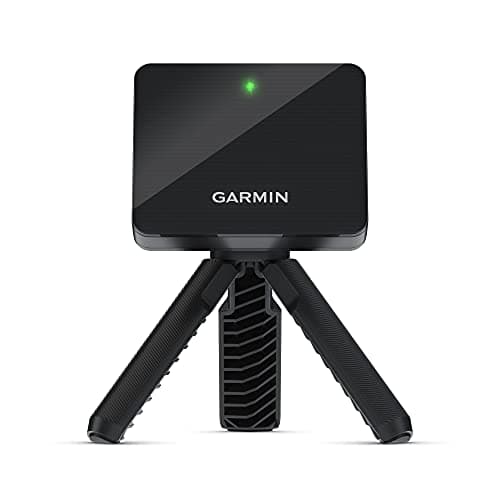
The budget unit I recommend first when the room has depth behind the ball. It is the only one at this price that meaningfully drives a simulator, works outdoors, and has an app worth using. Radar, so measure the space, and budget for course-play software on top.
Best net-practice trainer: Shot Scope LM1
If your setup is a mat and a net and you mostly want to know how far you carry each club and whether a swing change is working, the LM1 is the pick. Reviews call it impressively accurate on ball speed and full-swing carry, often within a few yards of premium systems in controlled tests. It has a built-in 3.5-inch screen, stores around a thousand shots on the unit, and syncs to the Shot Scope app so you can compare your range numbers with your on-course stats over time. There is no subscription.
It covers five core metrics, ball speed, club speed, smash factor, carry and total distance, and nothing else. Setup can be finicky if you skip the quick-start steps, and it needs roughly 55 inches to 1.4 metres of clear space behind the ball, aligned with your target line and level with the strike. Within those limits it is one of the best value launch monitors on the market.
Where the LM1 pulls ahead of the other net-practice units is the ecosystem. If you already use Shot Scope's on-course tracking, the app lines your range numbers up against what you actually do on the course, so you can see whether your practice distances hold up under pressure. Even without that, having a thousand shots stored on the unit means you can review a session properly rather than trying to remember what the screen said. Reviewers also single out how fast it reads and updates each shot, which keeps a practice session flowing.
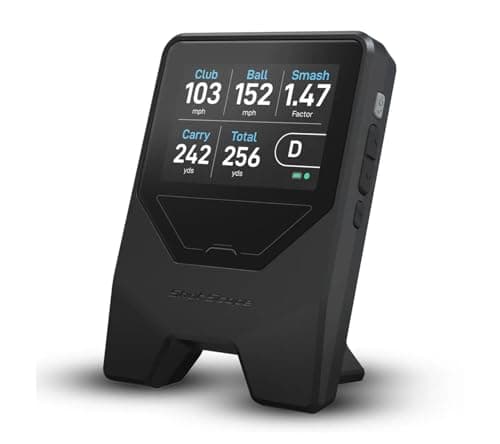
The one for a mat-and-net setup where you want the numbers stored and trended, not just glanced at. Accurate on full-swing carry, on-unit screen, a thousand-shot memory, no subscription, and it ties into the Shot Scope app if you already track your rounds.
Best budget unit with swing video: Rapsodo MLM
The original Rapsodo Mobile Launch Monitor is the cut-down sibling of the MLM2PRO, and it is well liked for one feature in particular: it automatically records every swing with a shot tracer and plays it straight back, which makes range practice far more useful than a bare number. Independent tests have put its ball data within about two percent of premium radar units outdoors, and reviewers describe recent firmware as reliable and the app as one of the best-designed in the budget class.
The limits: it is iOS only, so no Android phones or tablets, it is a range and practice tool rather than a simulator unit, and it gives you simpler data than the R10 or MLM2PRO. For a golfer on an iPhone who wants video feedback and honest outdoor numbers on a budget, it is a strong pick. The MLM2PRO steps up to measured spin, swing video and simulator play, but adds a premium subscription and more setup friction; it moves in and out of stock, so check the reviews page for current availability.
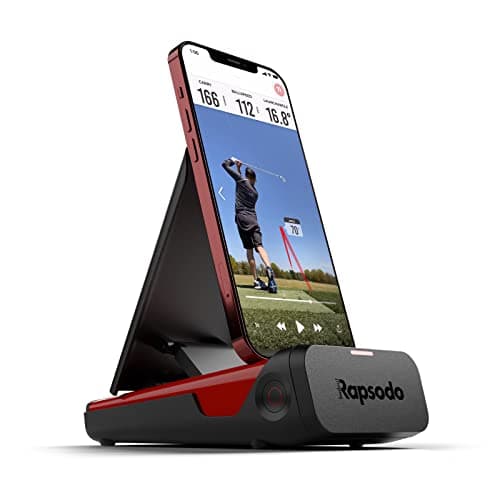
The budget pick for an iPhone user who wants to see every swing played back with a tracer, not just a carry number. Accurate outdoors, clean app, no simulator ambitions. Check that your device is iOS, because there is no Android support.
Best no-phone option: Voice Caddie SC200Plus and PRGR HS-130A
Some golfers do not want an app in the loop at all. Two units cover that well.
The Voice Caddie SC200Plus is a proven budget radar unit with a long track record. It reads out club speed, ball speed, smash factor and carry on a built-in display and through voice output, so you get instant feedback without looking at a phone, and it runs about 20 hours on AAA batteries. It needs roughly four to five feet behind the ball and level with the strike, it has no Bluetooth and no simulator support, and its measuring range starts at around 30 yards, so it is a full-swing tool rather than a short-game one.
The PRGR HS-130A is the pocket-sized alternative and the favourite of the speed-training community. Standalone LCD, no app, no subscription, AAA batteries, stores about 500 swings. Independent tests have put its club and ball speed within one to two miles per hour of a TrackMan. It estimates carry and total distance rather than tracking them and captures nothing on spin, path or launch, so it is a speed trainer with a distance readout.
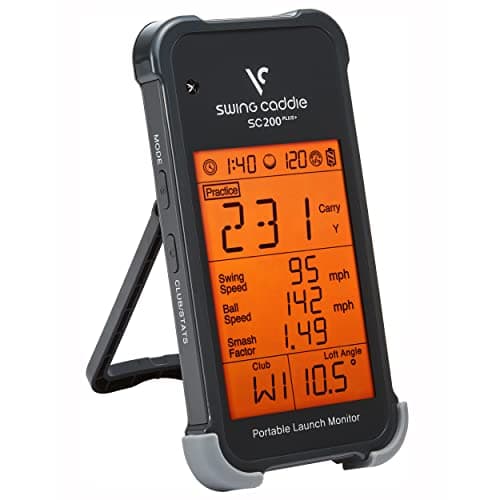
The pick for someone who wants spoken, on-screen shot data with no phone, no app and no subscription. A proven radar unit for full-swing practice. It does not do short game or simulator play, and there is no Bluetooth.
The budget simulator unit: Rapsodo MLM2PRO
The MLM2PRO is the most capable unit that still counts as budget. It combines a camera and radar to capture true measured spin with the marked balls it ships with, records video of every swing with a shot tracer, and pairs with simulator course software. Reviewers describe its dual-sensor data, especially spin and club path, as a genuine step above what a single-sensor radar unit at this price can do, and some tests put its core numbers close to far more expensive systems.
The friction is real. A premium app subscription gates much of the feature set, including simulator play, and owners routinely report setup hassle: needing both Bluetooth and Wi-Fi enabled, forgetting and re-pairing the unit, or closing and reopening the app, with connection problems where there is wireless interference nearby. It also moves in and out of stock. If you want measured spin and simulator play on a budget and you will tolerate the subscription and the pairing dance, nothing else here matches it. If you want simple and reliable, the R10 or a net-practice unit is the calmer choice.
Space and setup: the part people underestimate
Budget units are cheap, but they are not forgiving about placement, and most one-star reviews are really setup problems. The recurring issues from owner reports are worth knowing before you buy, because they decide whether a unit fits your room.
- Distance behind the ball: the Voice Caddie SC200Plus wants about four to five feet, the PRGR HS-130A three and a half to five, the Shot Scope LM1 around 55 inches to 1.4 metres, the GolfBuddy Shot Mate one to one and a half metres, and the Garmin R10 six to eight feet. If your hitting position is against a wall, measure this first.
- Level and aligned: every radar unit here needs to sit level, at the height of the ball, and parallel to your target line. A unit tipped a few degrees or aimed slightly off produces distance and direction errors that get blamed on the sensor.
- Clear line to the ball: nothing between the unit and the ball, and on a thick mat some units need to sit slightly raised so the bottom of the sensor clears the turf.
- For the app-connected units, pairing is the other common snag: Bluetooth on both devices, the app open, and sometimes a restart of the device and app to sync. The R10 in particular needs putting into pairing mode manually if it was used before.
If your room is genuinely short, radar is the wrong tool and the answer is a photometric unit. Those start above this budget, and the main launch monitor roundup covers them.
Which sub-$300 unit is right for you
- You want the data stored and trended against your rounds: Shot Scope LM1. On-unit screen, thousand-shot memory, app sync, no subscription.
- You are on an iPhone and want swing video: Rapsodo MLM. Automatic tracer video on every shot, clean app, iOS only.
- You want spoken feedback and a screen with no phone at all: Voice Caddie SC200Plus. Long AAA battery life, proven radar, full swings only.
- You mainly want club and ball speed for speed training: PRGR HS-130A. Smallest, cheapest, instant, no app, reads speed with or without a ball.
- You want the lightest unit to carry to the course: GolfBuddy Shot Mate at 190 grams, with the caveat of a two-to-three-hour battery and generous rollout estimates.
How the budget units compare
| Unit | Sensor | Subscription | Simulator play | Core job |
|---|---|---|---|---|
| Garmin Approach R10 | Doppler radar | Some features, paid tier | Yes, wide software support | Budget all-rounder, sim plus range |
| Rapsodo MLM (original) | Camera plus radar | Optional | No, range tool | Swing video and outdoor numbers, iOS only |
| Rapsodo MLM2PRO | Camera plus radar | Premium app subscription | Yes | Measured spin and video on a budget |
| Shot Scope LM1 | Doppler radar | None | No | Stored speed and carry for practice |
| Voice Caddie SC200Plus | Doppler radar | None | No | Voice and screen readout, no phone |
| PRGR HS-130A | Doppler radar | None | No | Pocket speed and distance trainer |
| GolfBuddy Shot Mate | Doppler radar | None | No | Lightweight speed and carry, short battery life |
Sensor type, what you need to run each unit, and its core job. Data-point counts and app details come from each maker's current documentation. Check the live price on each product page.
How to pick between them
- You want a simulator and your room has depth: Garmin R10. It is the only budget unit that really does this.
- You hit into a net and want the data stored and trended: Shot Scope LM1.
- You are on an iPhone and want to see every swing on video: Rapsodo MLM.
- You want instant feedback with no phone at all: Voice Caddie SC200Plus for full swings with voice output, or PRGR HS-130A for the smallest and cheapest speed trainer.
- You specifically want measured spin on a budget and will accept the subscription: Rapsodo MLM2PRO, when it is in stock.
The GolfBuddy Shot Mate is a capable lightweight radar unit, but reviewers flag generous rollout estimates and a battery life of only two to three hours against ten hours for the R10. Weigh that if you practice in long sessions.
The subscription question, in detail
The recurring cost is the part of a budget launch monitor decision that catches people out, because the sticker price and the real cost of ownership can diverge sharply.
- No subscription, ever: Shot Scope LM1, Voice Caddie SC200Plus, PRGR HS-130A, GolfBuddy Shot Mate. What you pay is what you pay. The LM1 has an optional free app for storing sessions.
- Subscription for some features: the Garmin R10 works and shows data out of the box, but certain course-play and premium app features sit behind a paid Garmin Golf tier.
- Subscription for the full experience: the Rapsodo MLM2PRO gates a large part of its feature set, including simulator use, behind a premium app subscription. The original Rapsodo MLM's subscription is optional.
Two rules. First, read the current terms on the maker's own site, not an old review, because these change and often not in the buyer's favour. Second, if a recurring fee genuinely bothers you, the no-subscription units are excellent and you are not giving up much for net practice.
Using a budget unit for speed training
One of the best uses of a cheap launch monitor is speed work: overspeed protocols, tracking club head speed session to session, and confirming that a training block is actually adding miles per hour rather than just feeling like it.
For this the PRGR HS-130A is the community favourite, and for good reason. It reads club speed with or without a ball, it is instant, it has no app to open, and independent testing rates its speed numbers as reliable. The Shot Scope LM1 and Voice Caddie SC200Plus also have speed modes and store the data, which is useful for seeing the trend. Any of the three does the job; the PRGR is just the least friction.
Common questions
What is the cheapest way into launch monitor data? A pocket unit like the PRGR HS-130A or a net-practice unit like the Shot Scope LM1 is the floor for data you can actually trust, with no subscription. Below that you are into swing-tempo gadgets rather than launch monitors.
Is there a cheaper alternative to a TrackMan? Every unit here is. None matches a TrackMan across every metric, but on full-swing ball and club speed the budget units get within a mile or two per hour in controlled tests, at one to two percent of the price.
Can I run a simulator on a budget launch monitor? On the Garmin R10 and Rapsodo MLM2PRO, yes, with course-play software bought separately. The net-practice trainers, LM1, PRGR, SC200Plus, Shot Mate, do not connect to simulator software at all.
Does the Garmin R10 need a subscription? The unit works and shows data without one. Some course-play and premium app features sit behind a paid Garmin Golf tier. Check the current terms before buying if those features matter to you.
How much room do budget radar units need? Roughly four to eight feet of clear space behind the ball depending on the unit, level with the strike and aligned to your target line. In a shorter space the numbers degrade, especially on short irons. If your room is genuinely tight, a photometric unit is the answer, and those start higher than this budget.
Do I need special golf balls? Not for the units here. Measured-spin systems like the Rapsodo MLM2PRO use marked balls for their spin numbers, but everything in this budget roundup works with whatever ball you are hitting.
Will a budget launch monitor's distances match my on-course yardages? Not exactly, and that is expected. Indoor numbers are measured in still air with no elevation or turf interaction, and range balls read short. What matters is that the unit is consistent with itself, so a gain or a swing change shows up clearly. Use it to compare your own shots, not to set your on-course club selection to the yard.
Android or iPhone? Check before you buy. The original Rapsodo MLM is iOS only. The Garmin R10 and Rapsodo MLM2PRO support both. The standalone units, LM1, SC200Plus, PRGR, Shot Mate, do not need a phone at all.
Is a budget unit accurate enough to practise with a coach? For distance and speed work, yes, and many coaches use exactly these units for that. For detailed face-and-path diagnosis you want a unit that measures the club directly, which at this budget means the Rapsodo MLM2PRO or stepping up out of the budget tier.
Where to go from here
The reviews page lists every launch monitor I hold research on, budget and premium, with the current price and stock on each. Use the sections above to work out which type you want, then read the individual writeups.
Browse every launch monitor review
The anchor purchase of any simulator, and the hardest to reverse.