
Why the answer is a range, not a number
A home golf simulator can genuinely cost anywhere from a few hundred dollars to well over ten thousand, and both figures are honest answers depending on what you are building. A launch monitor and a net is a complete, working setup that gives you real data on every shot. A launch monitor, an impact screen, an enclosure, a short-throw projector, a mat and simulator software is a different and much larger project. Neither is the real cost of a home simulator; they are two different builds.
The single most common budgeting mistake is pricing the launch monitor first and treating whatever is left as the budget for everything else. On a full projected build the launch monitor is often the smaller half of the total once the screen, enclosure and projector are added. Decide the whole-system budget before you fall for one specific unit.
The price ranges below are checked against my live catalogue and typical current retail. Every product page carries the current figure, and the spotlight boxes here render it live. Do not budget around an exact number you read once.
The parts and what each one costs
A projected simulator is five or six purchases. Here is the realistic price band for each, and what moves it.
| Part | Realistic range | What pushes it up |
|---|---|---|
| Launch monitor | About $180 to $2,000+ | Direct spin measurement, club data, photometric sensing, build quality for daily use |
| Hitting mat | About $80 to $150 for a good multi-layer mat, more for premium turf | Base thickness and turf realism; premium bristle or gel mats run several times higher |
| Impact screen | About $95 to $180 on its own | Triple-layer construction, noise reduction, driver-impact rating, size |
| Enclosure kit | About $500 to $900 for a complete frame-and-screen bundle | Size, blackout cage, included projector mount and side netting |
| Projector | About $500 to $1,300 for a simulator-suitable short-throw | Brightness (lumens), a laser instead of a lamp light source, throw flexibility |
| PC | About $800 to $2,000 for a gaming-class machine | Simulator graphics are demanding; a laptop or office PC usually will not do it |
| Software | Often an annual subscription (GSPro and similar) plus any unit-specific fee | Course libraries, access to club data, multiplayer |
Realistic 2026 price bands for a home setup, from my catalogue and typical retail. Ranges, not quotes; check the product pages for live figures.
The best home golf simulator guide puts these together into three worked builds by total budget; this page is the per-part breakdown behind it.
The launch monitor, by tier
The launch monitor is the anchor purchase and the widest price range in the whole build. My catalogue splits into three natural tiers by price, not a boundary I picked in advance.
| Tier | Roughly | What you are paying for |
|---|---|---|
| Entry | About $180 to $250 | Real ball and club speed and an estimated carry, no subscription on most, net-practice focus |
| Mid | About $450 to $700 | Simulator software support, a better app, wider data; the range most first-time buyers land in |
| Premium | About $1,200 to $2,000 | Photometric or hybrid sensing, direct spin, club data, build for thousands of sessions |
The tiers the real catalogue falls into. What separates them is measurement quality on the hard cases and build for daily use, not whether a unit works at all.
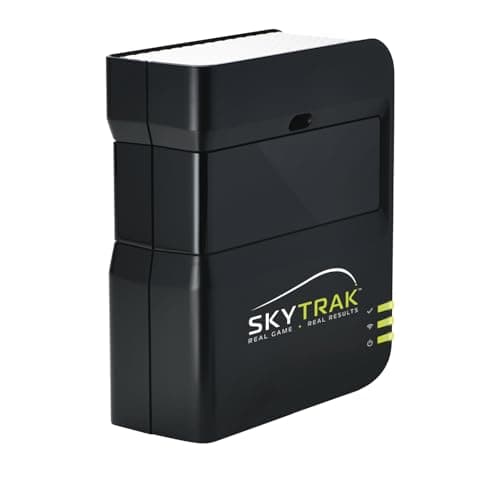
The photometric option I point people toward when the room is short, since a camera unit reads the ball at impact and needs far less depth than a radar one. It sits between the mid and premium tiers on price. See the launch monitor roundup for how it compares with the Uneekor EYE MINI and Bushnell Launch Pro above it.
Which tier fits how you will actually use it is the how to choose a golf launch monitor question; which specific unit within a tier is the best golf launch monitors roundup, with a separate budget launch monitors list for the sub-$700 band.
See every launch monitor with its current price
The anchor purchase, and the hardest to reverse.
The screen, projector and enclosure
This is the part of the build that turns a data-and-net corner into a projected simulator, and it is usually the second-largest spend after the launch monitor.
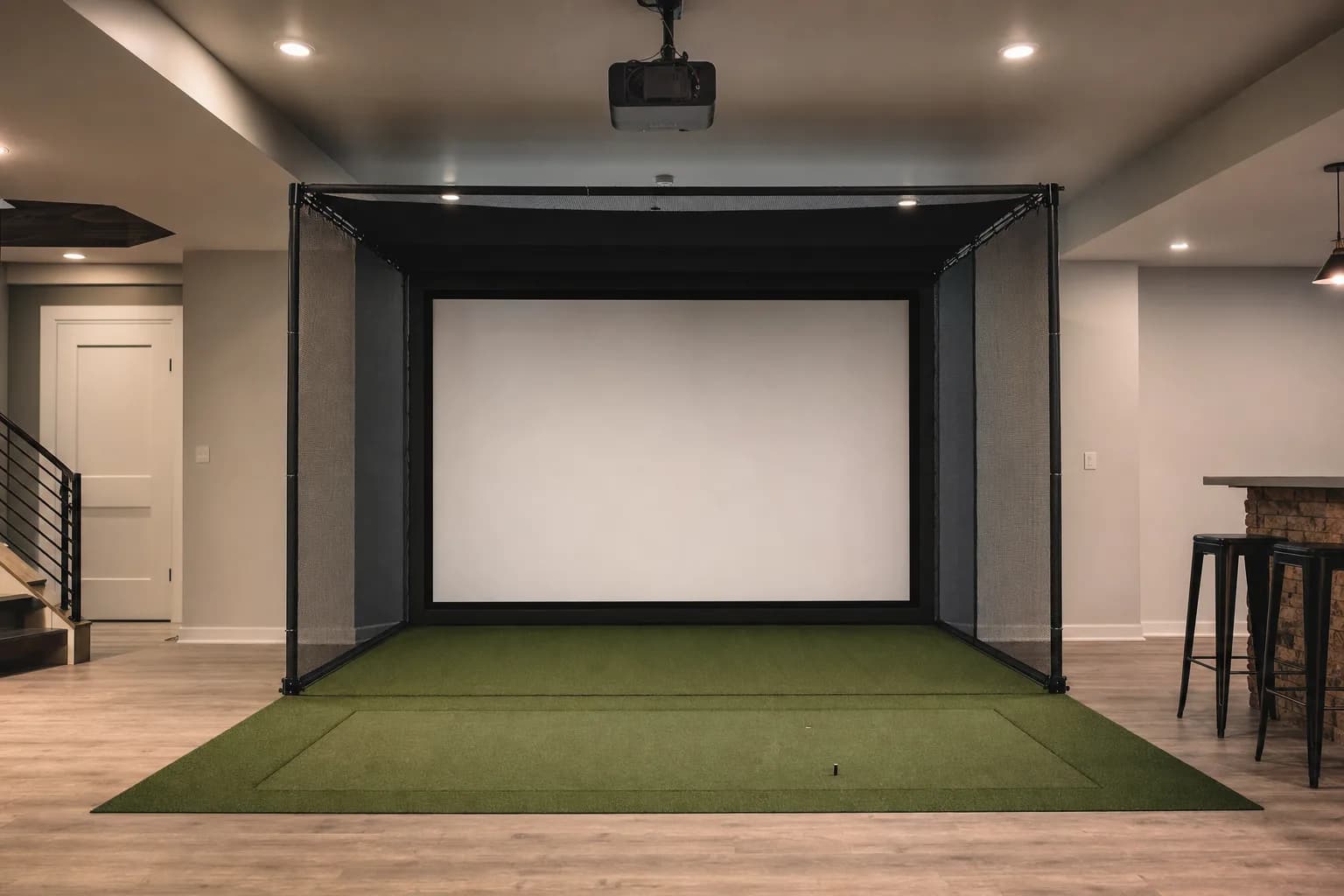
- A bundled enclosure kit is the sensible way to buy the frame and screen together. It removes the fitment guesswork, and the screens on these kits are rated for repeated driver impact. Expect roughly $500 to $900 for a complete package with a blackout cage, projector mount and side netting.
- A bare impact screen on its own is cheaper, roughly $95 to $180, but then you are sourcing and building the frame yourself. Worth it only if your room is an awkward size a kit will not fit, or you enjoy the build.
- The projector is where people under-spend and regret it. A simulator-suitable short-throw runs about $500 at the budget end to $1,300 for a bright laser unit. Under-buying brightness means a washed-out image you look at every session.
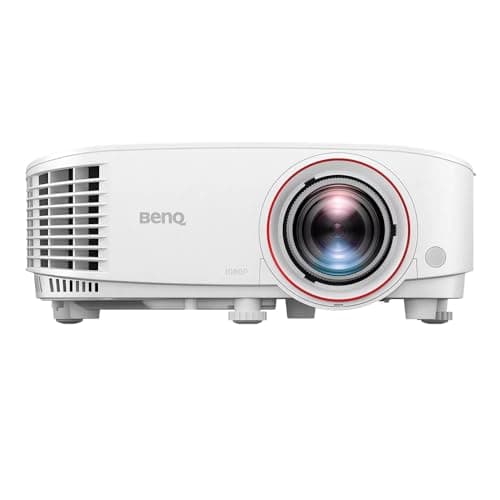
The best-value projector for a room you can darken, and the one that sets the floor for what a projected build costs. Bright, sharp 1080p, genuinely short throw. The laser Optoma units cost more and handle ambient light better; the projector roundup compares them.
The full comparisons are in the best golf simulator projectors roundup and the screen and projector decision guide, which covers how the two have to be matched.
See every simulator projector with its current price
See every enclosure kit with its current price
The hitting mat: cheap to buy, expensive to get wrong
A good multi-layer hitting mat runs about $80 to $150, which is a small line item in a full build, and it is the one part people are most tempted to cut. Do not. A thin mat on a concrete floor is the most common cause of sore wrists and elbows in home practice, and replacing it after you have hurt yourself costs more than buying the right one first.
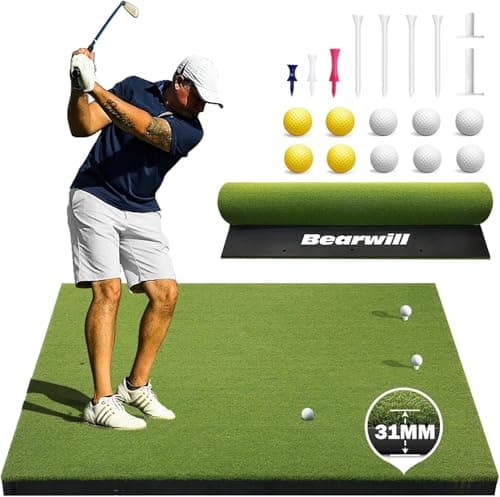
The mat I recommend most for a home setup on a normal budget: a real multi-layer build with genuine shock absorption at a mid-budget price. Put an anti-slip pad under it if your floor is bare concrete. The mats roundup covers the alternatives.
The best golf hitting mats roundup covers turf feel, base thickness and whether the premium tier is worth the jump.
See every hitting mat with its current price
Three real ways this comes together
Using the pillar guide's minimal, mid and full framework, here is what each tier actually costs in practice.
| Build | What is in it | Rough total |
|---|---|---|
| Minimal: launch monitor, mat, net | Entry launch monitor, a thick mat, a rated net. No projection. | About $1,000 to $1,500 |
| Mid: entry projected simulator | Budget launch monitor, bundled enclosure and screen, short-throw projector, mat, PC. | About $2,500 to $4,000 |
| Full: serious home setup | Photometric launch monitor, bright laser projector, dual-turf mat, enclosure, gaming PC, software. | About $5,000 to $8,000 |
Three worked builds. Totals are ranges because launch monitor and enclosure prices move; the best-home-golf-simulator guide keeps a current per-tier breakdown.
Notice the pattern: at the minimal end the launch monitor is most of what you spend. At the full end it is often the smaller half. That is the real reason the build order matters. The launch monitor is the anchor decision, but it stops being the majority of the budget the more complete the build gets.
See the three builds spelled out part by partWhat you are actually comparing it against
A simulator's upfront cost only makes sense in context. Compared to nothing, it is a real expense. Compared to what it replaces, the math often looks different.
A round of golf, a bucket of range balls, or a paid hour at an indoor golf bar all carry a recurring per-visit cost that never goes away. A home setup has the opposite shape: a real upfront cost, then close to nothing per session. The more often you would genuinely use it, the faster the upfront cost gets diluted, and the more the zero-travel, zero-per-session advantage compounds. The honest test is not whether it is expensive, it is whether you would use it enough for the math to flip.
A rough version of that math: if a paid indoor session near you runs $40 to $60 an hour, a $3,000 build pays for itself in something like a year of one session a week. A $1,200 data-and-net corner pays back far faster. A $10,000 build needs you to be a genuinely committed user.
When prices actually move
- Black Friday and the surrounding weeks are when discounts on golf and electronics are most consistently real, rather than marked up then marked down.
- A launch monitor's price often softens in the months after the maker announces its successor. If you do not need the newest release, that is a predictable window.
- Early spring, ahead of the northern-hemisphere golf season, is when demand and prices for golf gear are highest. Not the time to buy if you can plan ahead.
- Projectors follow general electronics cycles more than golf ones, so their sale timing tracks Black Friday and back-to-school rather than the golf calendar.
Where to actually save money
Not every dollar saved costs you the same amount of experience. Some cuts are close to free; others quietly undermine the whole setup.
- Start with a net instead of an impact screen and enclosure. This is the single largest, lowest-risk way to cut the initial cost, and it is reversible later.
- Build the enclosure frame yourself from conduit or timber and buy just the screen, if your room is an odd size or you enjoy the project. The saving is real; keep the screen, launch monitor and projector as considered purchases.
- Do not cut the mat. A thin mat on a hard floor is a common, avoidable source of both discomfort and noisier launch monitor reads.
- An entry-tier launch monitor is a complete answer if you mainly want ball-flight numbers for practice, not a compromise you are forced into.
- Buy the mat, net or frame used with almost no risk. Be much more careful buying used electronics, where calibration history and warranty transfer matter.
Common questions
Is a $180 launch monitor actually worth it, or should I save up? If you mainly want real ball and club speed and an estimated carry for practice, and you do not need club data or simulator course play, the entry tier genuinely answers that. Read the budget launch monitor roundup before assuming you need to spend more.
Why is there such a big jump between the mid and premium launch monitor tiers? Mostly direct spin measurement, club data, and measurement consistency on off-centre hits, plus build quality for daily use. It is not a basic capability gap.
Does a more expensive setup mean a better experience? Not automatically. A well-chosen entry or mid launch monitor with a decent mat and net is a genuinely complete experience. The premium tier and a full enclosure buy you precision and immersion, not a fundamentally different product.
What is the cheapest complete setup? Around $1,000 to $1,500 for an entry or mid launch monitor, a thick mat and a rated net, with no projection. Below that you are buying a launch monitor and hitting into a cheap net, which works but is bare-bones.
Should I budget for professional installation? For a net-and-mat setup, no, it is a DIY afternoon. For a full enclosure and calibrated projector, most people still do it themselves successfully, but if your space needs real electrical or structural work, price that separately rather than assuming it is included in equipment cost.
Will these prices still be accurate when I read this? The ranges are stable; the exact figures move. Always confirm the current price on the product's own page before budgeting around a specific number.
Where to go from here
Once you know roughly what tier fits your budget, the next step is picking the specific parts. Each category has its own review list with current pricing, and the roundup guides make the actual picks.
See the three budget builds, part by partSee the full planning guide for how the pieces fit together