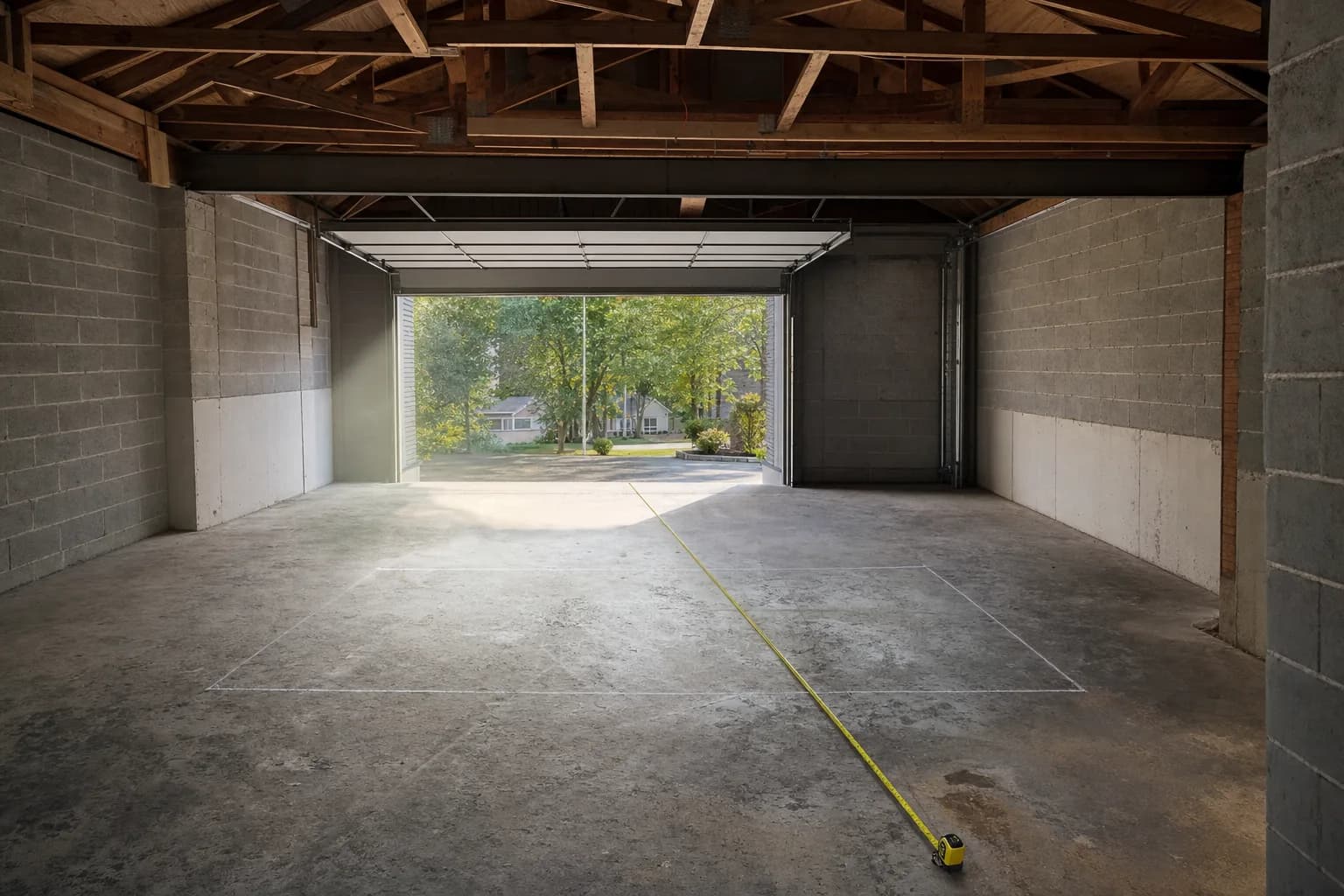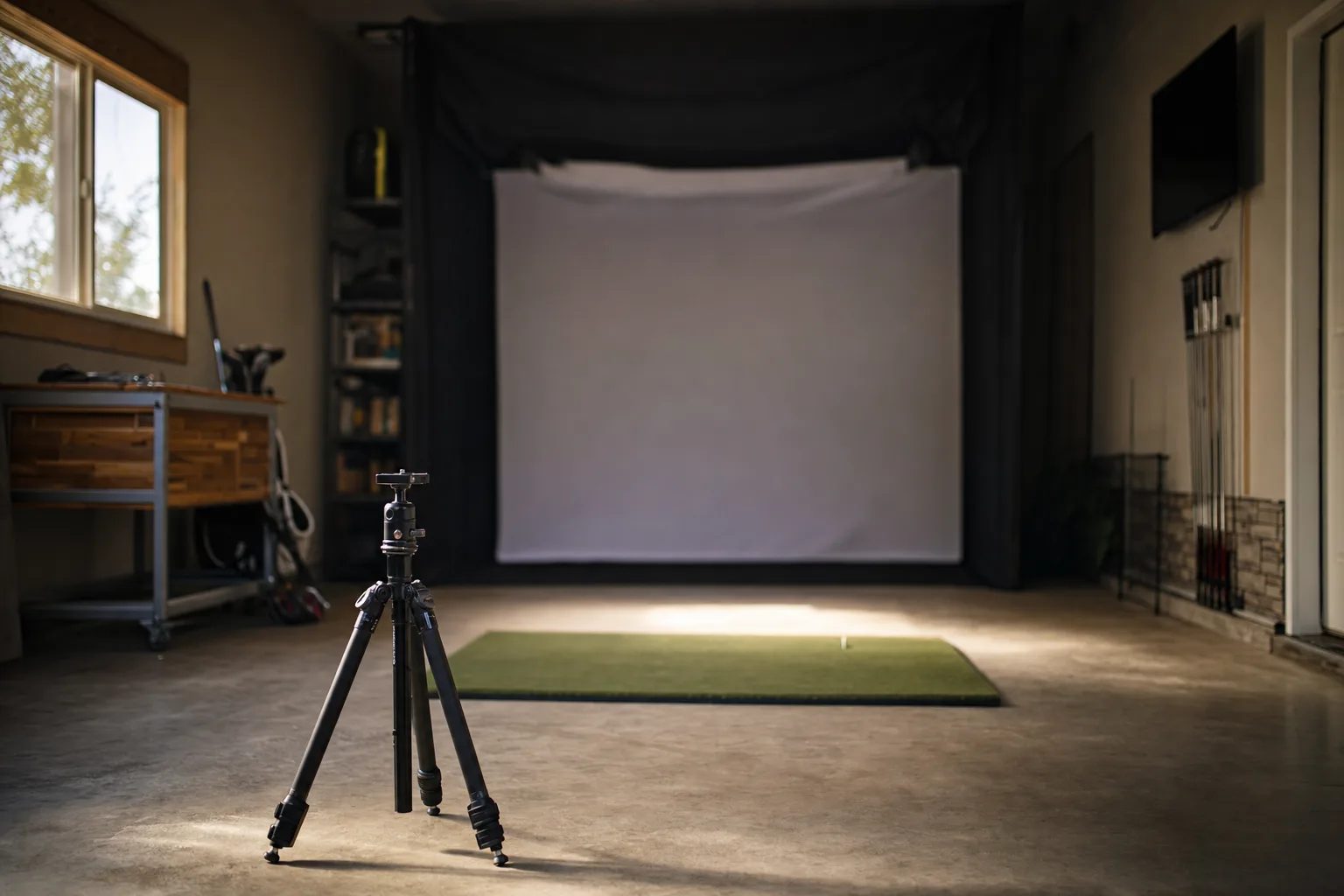

Who this roundup is for
This is for someone building or upgrading a home simulator who has settled on getting a launch monitor and now needs to pick one. If you are still deciding whether you need swing data at all, or how radar and camera sensors differ in principle, start with the selection guide first and come back here once you know which type suits your room.
The background reading for that decision lives in how to choose a golf launch monitor. This page assumes you have done it and covers which specific units are worth your shortlist and why.
Nothing here is ranked one to ten. A launch monitor that is right for a 9-foot garage bay is wrong for a golfer who mostly practices outdoors, and the reverse. The sections below are grouped by the situation each unit fits, not by an overall score.
How these picks were made
Every unit below is a real product I track in the market and hold research on. For each one I read the independent bench tests, the long-term owner reports on Reddit and the golf simulator forums, and the manufacturer's own current documentation, then cross-checked the recurring findings against each other. Where a product page on this site is marked as reviewed, I have gone further than that; where it says research, the writeup is built from the same sources this roundup uses. The spotlight boxes link straight through so you can see which is which.
What I am not doing is pretending to have hit ten thousand balls into every one of these in my own garage. The useful version of this roundup is an honest synthesis of what the evidence consistently says, with the disagreements left visible rather than smoothed over.
The shortlist at a glance
- Best all-round value, if your room has depth: Garmin Approach R10. Radar, huge simulator software support, the data most amateurs actually use.
- Best for a genuinely short room: a photometric unit like the SkyTrak, SkyTrak ST MAX or Uneekor EYE MINI, which reads the ball at impact instead of tracking its flight.
- Most trusted ball data under about two thousand dollars: Bushnell Launch Pro, which shares hardware with the Foresight GC3.
- Best for a full simulator on a mid budget: Uneekor EYE MINI, for near-instant reads, club data and wide software support in a small footprint.
- Best sub-$250 speed-and-distance trainer: Shot Scope LM1 or PRGR HS-130A, if you want honest numbers on a net and nothing more.
- Best budget unit that still drives a simulator: Rapsodo MLM2PRO, for measured spin and video in the same price band as the R10.
The one split that decides your shortlist
Launch monitors read a shot in one of two ways, and which one you can use is set by your room, not your budget.
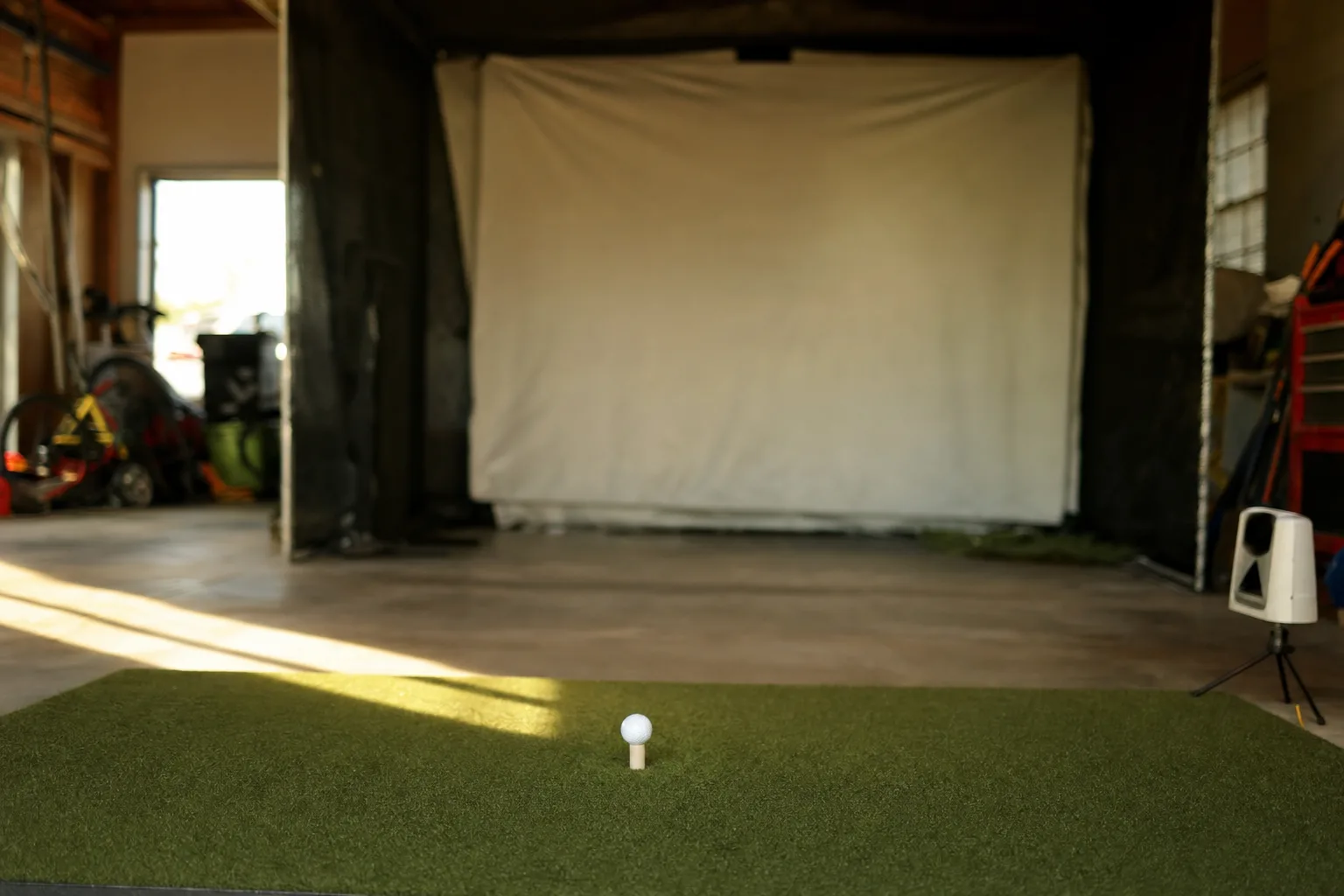
Radar units sit behind the golfer and track the ball through the first part of its flight using Doppler radar. They need real depth: most want six to eight feet of clear space behind the ball and a similar distance from the ball to the net or screen. In a short garage bay a radar unit is working from a fraction of the ball flight it was designed to see, and the numbers get noisier, especially on wedges and short irons that never climb into its window.
Photometric units, sometimes called camera-based, sit beside or just in front of the ball and photograph it and the clubface at the moment of impact. They need almost no depth, which is why they dominate in tight rooms, but they are fussier about consistent lighting and exact placement, and cheaper ones can carry a noticeable pause between your strike and the ball appearing on screen.
Measure your space before you compare any specific units. A radar monitor with excellent data is the wrong purchase if your bay is nine feet deep, and no firmware update fixes that.
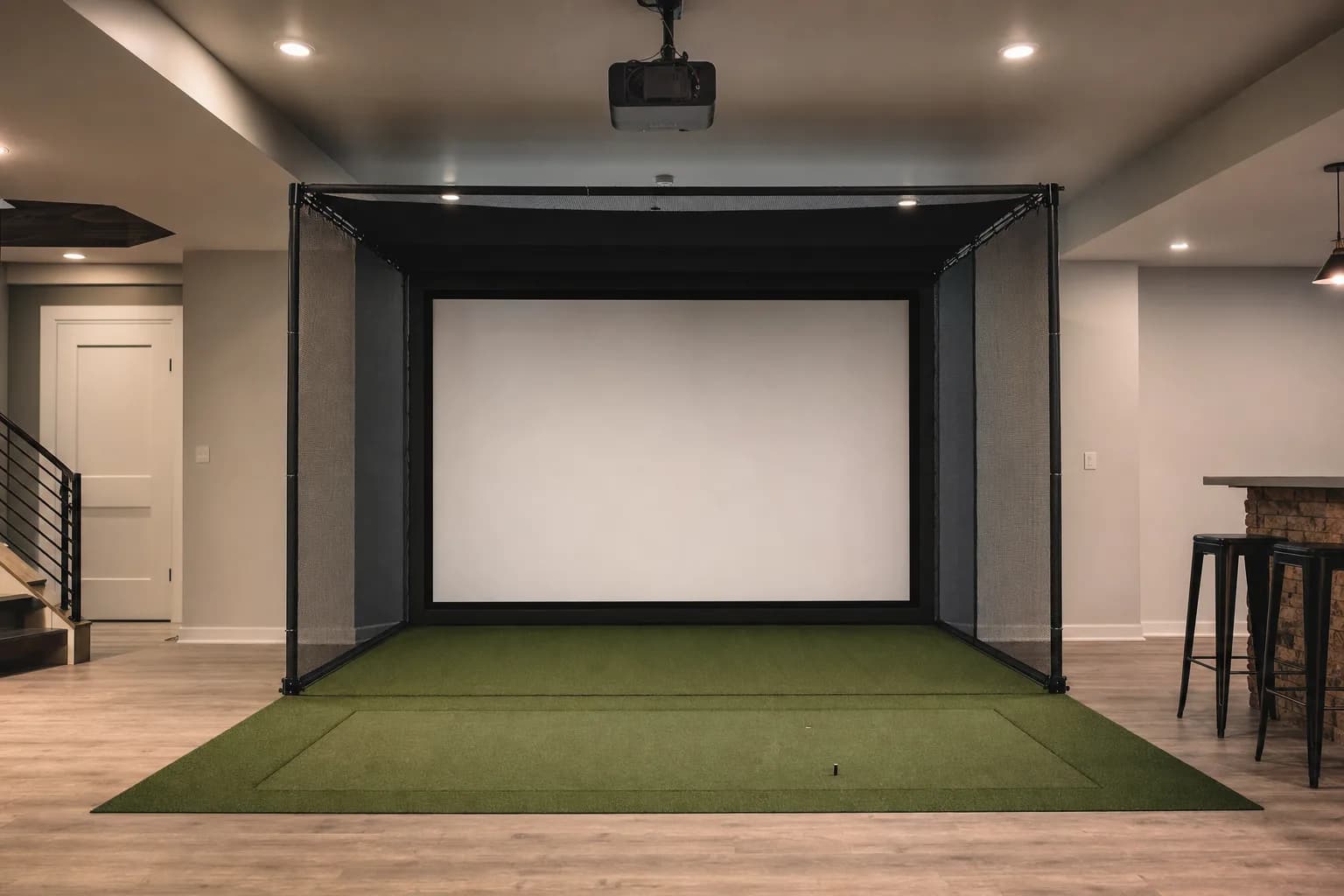
If you have not measured yet, the room size guide walks through ceiling height, depth and width and what each one rules in or out.
There is a second split underneath that one: whether the unit measures the club or only the ball. Every launch monitor here reports ball data. Club data, path, face angle, angle of attack, comes only from units built to track the club itself, and it is what you need if you are diagnosing a swing fault rather than just tracking where the ball went. The budget radar units model or omit most of it; the photometric units capture more of it directly. Decide whether you actually want to work on mechanics before you pay for the sensors that let you.
What each number is actually telling you
A spec sheet listing fifteen data points sounds better than one listing five, but most golfers use four or five numbers and ignore the rest. Knowing which is which stops you overpaying.
- Ball speed: the foundation. Almost every other number, including carry distance, is calculated from it, so a unit that measures ball speed well has a solid base even if it estimates the rest.
- Club head speed: your engine. Useful on its own for speed training, and paired with ball speed it gives you smash factor.
- Smash factor: ball speed divided by club speed, a measure of strike quality. Around 1.5 with a driver is efficient. It is the single best one-number check that you flushed it.
- Carry distance: how far the ball flies before it lands. On cheaper units this is calculated from speed and launch rather than tracked, so treat it as a good estimate, not a survey.
- Launch angle and spin: what shape the shot takes and how it stops. Budget radar units model spin from ball flight rather than measuring it, so those numbers are directional trends. Photometric units with direct spin measurement are the ones to trust here.
- Club path and face angle: why the ball started and curved where it did. Only on units that track the club. This is the data that actually helps you fix a slice, and it is the main thing you are paying for as you move up the range.
If your honest answer is that you want carry distance and ball speed for practice and you are not going to study spin axis, a mid-budget unit used fully beats a premium unit used at ten percent. Buy for the data you will actually look at.
Best all-round value: Garmin Approach R10
The R10 is the unit I point most first-time buyers toward, with one condition attached. It is a radar monitor at a price that used to buy you nothing, it pairs with an unusually wide range of simulator platforms including E6 Connect, Awesome Golf and The Golf Club 2019, and the Garmin Golf app that comes with it is genuinely good: clear data, club stats, and a feedback loop with your on-course rounds if you already use Garmin for GPS.
Independent reviews consistently score its outdoor accuracy well for the money and describe the data as reliable enough for serious amateur practice. The recurring criticisms are just as consistent: spin is modelled from ball speed and launch rather than directly measured, so treat spin numbers as trends over many shots rather than exact figures; indoor accuracy in a short bay is rated noticeably lower than outdoor, particularly on wedges; and owners report that alignment is finicky, that Bluetooth drops mid-session, and that some course-play features sit behind a paid Garmin Golf tier.
None of that is disqualifying. It is the normal shape of a budget radar unit, and the R10 does the value math better than almost anything else. Just go in knowing it wants space behind the ball, and that the sticker price is not the whole cost once you add software.
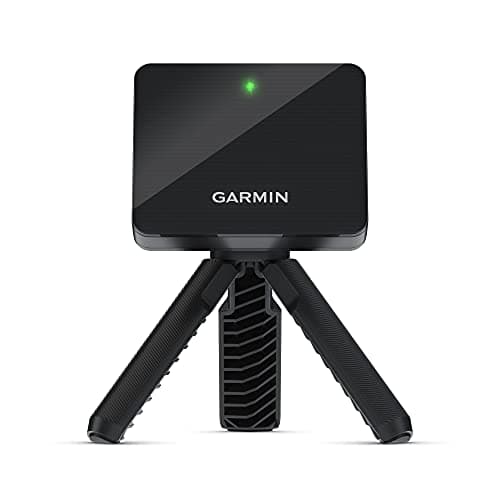
The one I recommend most often as a first launch monitor for a room with real depth. The simulator software support is the widest at this price, the app is excellent, and the data is honest for what amateurs actually work on. It is radar, so measure the space behind your hitting position before you buy, and plan for a course-play software cost on top.
Best for a genuinely short room: photometric units
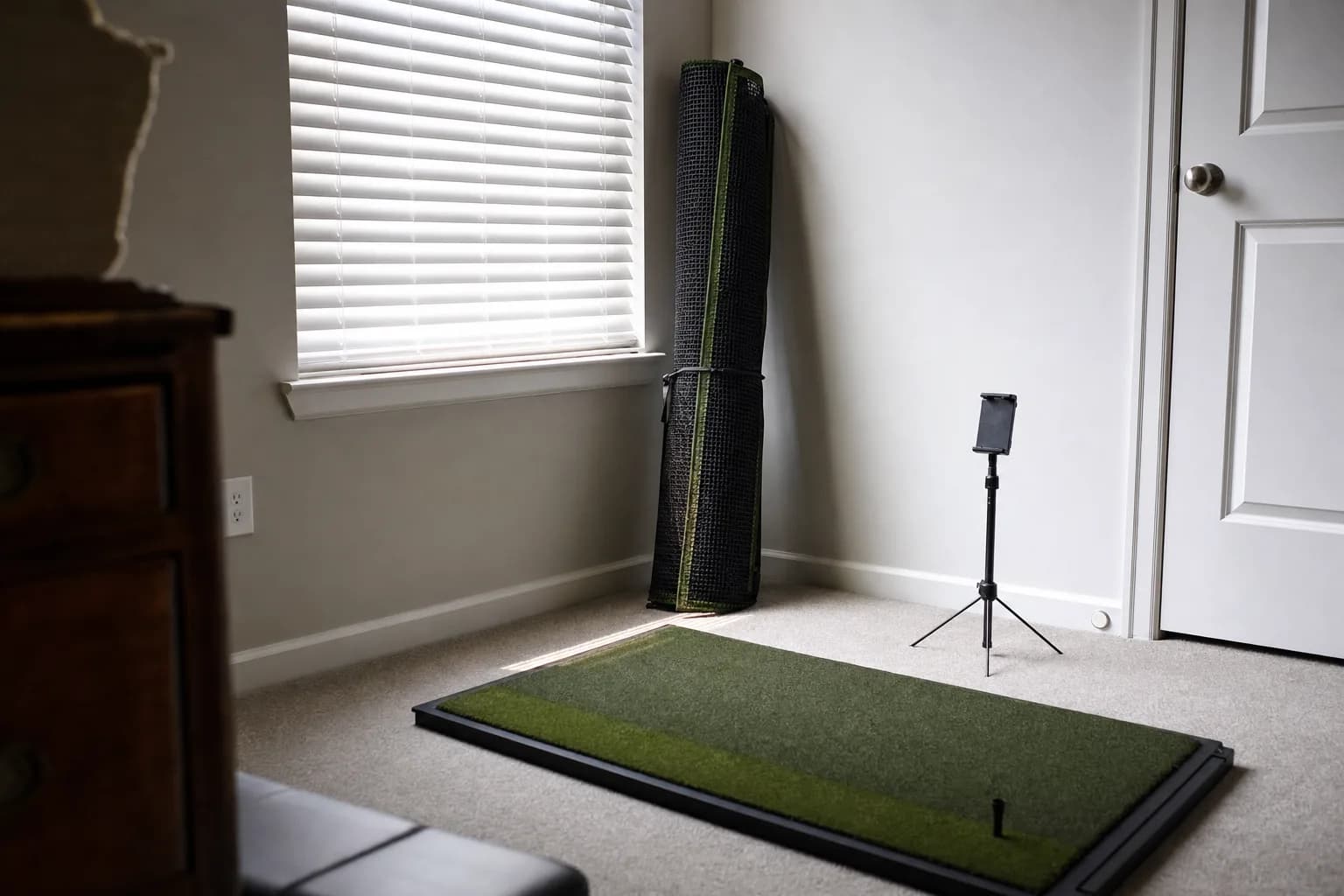
If your bay is under about ten feet deep, a radar unit is the wrong tool and a camera-based one is the answer. Two are worth shortlisting at very different budgets.
The original SkyTrak is the long-standing budget photometric option. Reviewers describe its ball data and ball flight as realistic and close to systems costing several times more, and its small footprint suits minimal indoor setups where radar struggles. Its two well-documented weaknesses are a shot-to-shot pause that is slower than most competitors, and sensitivity to lighting and exact placement: ambient light, unit height and alignment all have to be managed. It leans on a paid annual software subscription for full features, and it gives you ball data with only basic club information. Newer SkyTrak models are more accurate and more forgiving, so weigh a used original against a current unit carefully.
The Uneekor EYE MINI is the step up, and for a mid-budget full simulator in a small room it is the unit I would build around. Bench tests repeatedly put its ball and club data close to premium systems like the GC3, indoors and outdoors, and reviewers single out near-instant reads and automatic slow-motion impact video as real strengths. The trade-offs: it is bulkier than most portable units, first-time setup usually means a wired connection to a Windows PC with static networking, and owners report occasional mid-session disconnects that are fixable but annoying. Some software connections need a paid subscription.
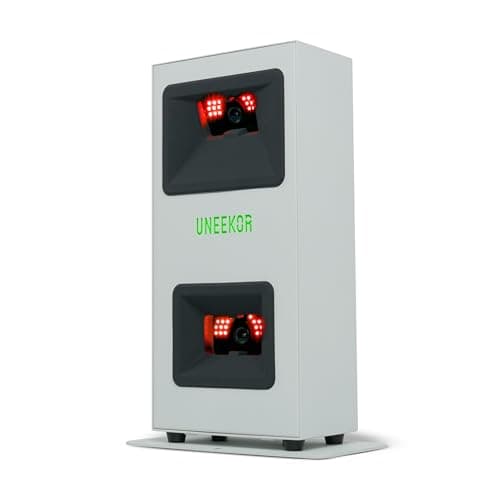
The pick for a full simulator in a room too short for radar. Near-instant reads, club data, impact video and wide software support, GSPro and TGC 2019 included, in a footprint that fits a garage bay. Budget a few hours for the first PC setup and expect a subscription for some software links.
$1,249.00
The current-generation SkyTrak, the ST MAX, is the third option and the one to watch on price. It pairs dual Doppler radar with a photometric camera, adds a built-in GOLFTEC speed-training module and dual USB-C ports over the older SkyTrak+, and reviewers who have used both side by side report the tracking accuracy is effectively identical between the two, so the ST MAX's case rests on the speed training and the faster processor. It ships with a year of software. When it is listed near the older SkyTrak+ price rather than its usual premium, it is the strongest photometric value on this list.
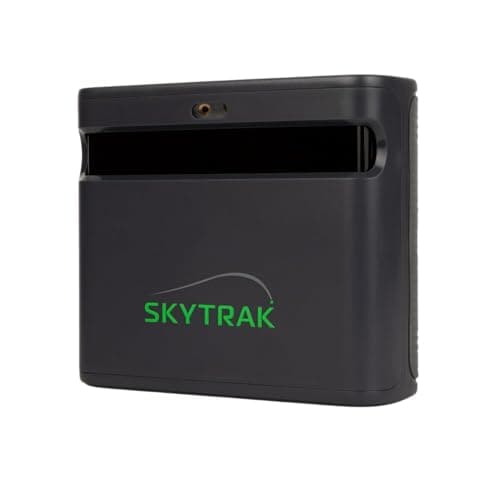
The current SkyTrak, and the premium photometric unit I would shortlist when the listed price is close to the SkyTrak+ rather than its usual level. Radar-plus-camera sensing, a year of software included, and a built-in speed-training module. Check the live price against the SkyTrak+ before deciding, since that gap is the whole argument.
$1,695.00
Most trusted ball data under two thousand dollars: Bushnell Launch Pro
The Launch Pro runs the same three-camera photometric hardware as the Foresight GC3, a unit with a strong reputation among fitters, at a lower entry price. Reviewers trust its ball data enough to compare it directly with premium devices, and the built-in touchscreen means you can read shots without a phone or PC in the loop.
The consistent complaints are about the business model, not the sensor. Full club data and simulator use sit behind a subscription that owners describe as expensive, and the forum consensus is that it is strong hardware held back by fiddly software: pairing, connectivity and getting the apps to talk to the unit reliably. It also has no Bluetooth, no dedicated putting mode, and struggles in direct sunlight. If your priority is ball data you can trust for gapping and you are staying indoors, it earns its place; if you resent recurring fees, read the current subscription terms closely before buying.
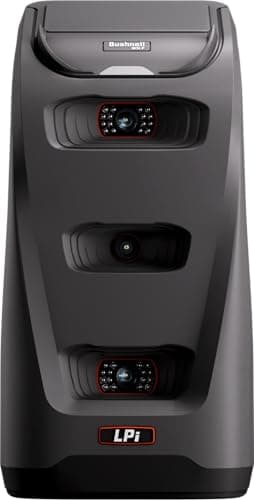
The one to shortlist when trustworthy ball data matters more than a low price and you have a dedicated indoor space. GC3-class hardware with a built-in screen. Check the current subscription tiers before you commit, because club data and full simulator play are not included in the box.
$1,999.99
Best under $250: honest numbers on a net
There is a real category of launch monitor that does not drive a simulator at all and is not trying to. These are speed-and-distance trainers: you hit into a net, they show you club speed, ball speed, smash factor and an estimated carry, and that is the whole product. For a lot of golfers that is exactly enough.
The Shot Scope LM1 is the pick if you want the data stored and compared over time. Reviews call it impressively accurate on ball speed and full-swing carry, it has a built-in 3.5-inch screen and stores around a thousand shots on the unit, there is no subscription, and it syncs to the Shot Scope app so you can line your range numbers up against your on-course stats. It covers five core metrics and nothing else, which is the point.
The PRGR HS-130A is the even simpler, even cheaper option, and it has a long track record in the speed-training community. It is a standalone pocket unit with an LCD, no app, no subscription, running on AAA batteries. Independent tests have put its club and ball speed within one to two miles per hour of a TrackMan. Carry and total distance are estimated from that rather than tracked, and it captures nothing on spin, path or launch angle, so treat it as a speed trainer with a distance readout, not a fitting tool.
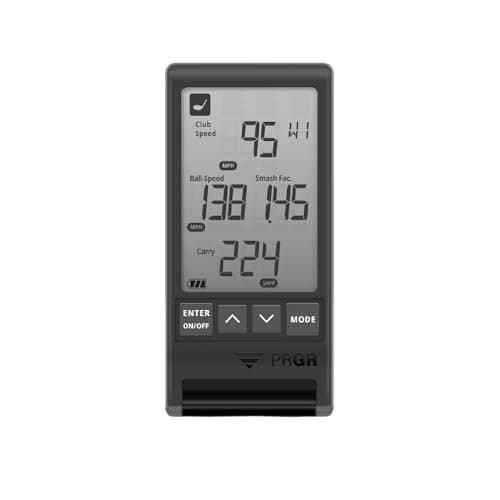
The one I recommend for a golfer who hits into a net, wants reliable club and ball speed for speed training, and does not want an app or a subscription. Independent tests have it within a couple of miles per hour of a TrackMan on speed. It does not do spin, path or simulator play, and it does not pretend to.
The full case for each sub-$700 option, including the Rapsodo MLM and Voice Caddie SC200Plus, is in the best budget golf launch monitors roundup.
Best budget unit that still runs a simulator: Rapsodo MLM2PRO
The MLM2PRO sits in the same price band as the Garmin R10 but takes a different approach: a hybrid of camera and radar that captures true measured spin with marked balls and records video of every swing with a shot tracer. If you want simulator course play plus real spin data and you are not spending Bushnell money, it is the natural rival to the R10.
The trade-offs are a premium app subscription for the full feature set, and setup friction: owners routinely report having to keep both Bluetooth and Wi-Fi enabled, re-pair the unit, or restart the app, and connection problems where there is wireless interference nearby. The original Rapsodo MLM, still sold, is the cut-down version: iOS only, more of a pure range tool, cheaper, and well liked for its automatic swing video and clean app.
The MLM2PRO moves in and out of stock, so it is not always a live listing. When it is unavailable, the Garmin R10 is the budget simulator unit to buy, and the original Rapsodo MLM covers the video-feedback use case for iPhone users.
The budget launch monitor roundup goes deeper on the sub-$700 units, including the MLM2PRO and the original MLM.
If you also want to use it outdoors
Several of these units are portable enough to take to the range, and for some golfers that is half the appeal. It changes the pick.
- Radar units generally do better outdoors than in a short indoor bay, because outdoors they get the full ball flight they were designed to read. The Garmin R10, Rapsodo MLM and Voice Caddie SC200Plus are all genuinely good range tools.
- The catch outdoors is range balls and environment. Limited-flight range balls read shorter than your own, some units have no way to normalise for that, and metal structures or other radar sources at a busy range can cause misreads. The numbers are still useful as relative feedback session to session.
- Photometric units are more setup-sensitive outdoors: changing light and the need to see the ball clearly in the hitting zone make them fussier than they are in a controlled indoor bay. The SkyTrak and Uneekor EYE MINI are happiest indoors.
- Battery life matters if you are carrying it. The R10 runs about 10 hours, the Voice Caddie about 20 on AAAs, while the GolfBuddy Shot Mate is only two to three hours.
Buying used or refurbished
Launch monitors hold value, and the used market is real, but it has traps.
- A used photometric unit like an original SkyTrak can be good value, since the sensor does not wear the way a lamp or battery does. Confirm the software subscription can be transferred or renewed under your account before you buy, because a unit with no active software is a paperweight.
- Watch for units listed under a current model's name at a suspiciously low price. SkyTrak in particular has several generations, and a listing that pairs a new-model name with an old-model price is usually an older unit, a grey import, or a bundle that is missing something. Check the exact model and what is included.
- For subscription-gated units like the Bushnell Launch Pro, a used unit with a lapsed subscription loses its tracking features until you pay to reactivate. Factor that into the price.
- Battery-powered radar units like the R10 have a consumable inside them. An older unit may have a tired battery.
How the shortlist compares
Prices and stock move, so this table sticks to the things that do not: sensor type, what you need to run it, and the situation each unit fits. Check the live price on each product page.
| Unit | Sensor | Room it suits | Needs to run it | Best for |
|---|---|---|---|---|
| Garmin Approach R10 | Doppler radar | Deep bay or outdoors | Phone or tablet; software cost for course play | Widest sim support at a low price |
| Rapsodo MLM2PRO | Camera plus radar | Deep bay or outdoors | Phone or tablet; premium app subscription | Measured spin and video on a budget |
| SkyTrak (original) | Photometric camera | Short bay | Phone, tablet or PC; annual software subscription | Entry photometric for tight rooms |
| SkyTrak ST MAX | Camera plus radar | Short bay | Phone, tablet or PC; a year of software included | Current SkyTrak, strong value when near the SkyTrak+ price |
| Uneekor EYE MINI | Photometric camera | Short bay | Windows PC; subscription for some software | Mid-budget full simulator in a small room |
| Bushnell Launch Pro | Photometric camera | Dedicated indoor space | PC or the built-in screen; subscription for club data and sim | Trusted ball data under two thousand dollars |
| Shot Scope LM1 | Doppler radar | Net practice, needs depth behind ball | Standalone screen; optional app sync, no subscription | Stored speed and distance data |
| PRGR HS-130A | Doppler radar | Net practice, small footprint | Standalone LCD, no app, no subscription | Simplest speed and distance trainer |
Sensor type and fit for the units covered above. Data points and subscription terms come from each maker's current documentation, which is worth re-checking before you buy.
What accuracy actually looks like at each tier
The honest picture from the bench tests and long-term owner reports is this. Almost every unit here reports ball speed and full-swing carry that is close enough for practice, often within a handful of yards of a reference system, when it is set up correctly and used the way it was designed.
- Where cheaper units fall down is the hard cases: off-centre strikes, unusual shot shapes, wedges and short irons, and spin. A budget radar unit modelling spin from ball flight will give you a directionally useful number, not a fitting-grade one.
- Where photometric units fall down is environment: inconsistent lighting, a unit slightly out of level or off its specified distance, a busy mat pattern that makes the ball harder to isolate.
- Setup is the single biggest variable. A unit a few inches off its specified placement, or a firmware version behind, or low on battery, produces noisy data that gets blamed on the sensor. Follow the placement spec exactly.
- Read the data over a sample, not shot by shot. Every unit here is more trustworthy as a trend across twenty shots than as a verdict on one.
Common ways people pick the wrong one
- Buying a radar unit for a short room because it had the best reviews. The reviews were mostly outdoor or full-depth indoor. Your bay is the deciding fact.
- Paying for club data and never looking at it. If you want distance and ball speed for practice, a simpler unit does that better and cheaper than a premium one used at ten percent.
- Ignoring software compatibility until after the purchase. A very accurate launch monitor with no support for the course software you want leaves you with numbers and nowhere to play.
- Forgetting the subscription. Budget the recurring cost into the decision, not as a surprise three months later.
- Assuming more expensive means uniformly more accurate. Higher-priced units mostly hold up better on the hard cases, not on every shot.
Common questions
Which launch monitor is the most accurate? Among the units here, the photometric ones with direct spin measurement, the Bushnell Launch Pro and Uneekor EYE MINI, are the most trusted for fitting-grade data, and independent tests put them close to premium references. For practice data rather than fitting data, the gap between tiers is much smaller than the price gap.
Is the Garmin R10 or the Rapsodo better? Different tools. The R10 has broader simulator software support and a stronger app, and it is a proven radar performer outdoors. The Rapsodo MLM2PRO measures true spin and records swing video, which the R10 does not. If you want the widest sim compatibility, take the R10; if you specifically want measured spin on a budget, take the Rapsodo.
What is the best budget launch monitor for a sim? Under about $700, the Garmin R10 and Rapsodo MLM2PRO are the two that genuinely drive a simulator. The Shot Scope LM1 and PRGR HS-130A are excellent value but are net-practice speed and distance trainers, not simulator units.
Is there a cheaper alternative to a TrackMan? Yes, and this whole list is it. No unit here matches a TrackMan on absolute accuracy across every metric, but the photometric units at the top of the range get close enough for club fitting, and the mid-budget units get close enough for meaningful practice at a fraction of the cost.
Do I need a subscription? It depends on the unit. The PRGR HS-130A, Shot Scope LM1 and Voice Caddie SC200Plus have no subscription. The Garmin R10, Rapsodo MLM2PRO, SkyTrak, Uneekor EYE MINI and Bushnell Launch Pro all gate some features behind a recurring fee. Check the current terms before buying.
How much space does a radar unit need indoors? Plan for roughly six to eight feet of clear space behind the ball and a similar distance from the ball to the net or screen. Less than that and the unit is reading a fraction of the ball flight it needs, and short irons especially get unreliable.
Where to go from here
The full list of launch monitors I hold research on is on the reviews page, with the current price and stock on each. Nothing there is ranked; use the situation-based sections above to narrow down, then read the individual writeups.
Browse every launch monitor review
The anchor purchase of any simulator, and the hardest to reverse, so it is worth getting the fit right first.