
Detailed Overview
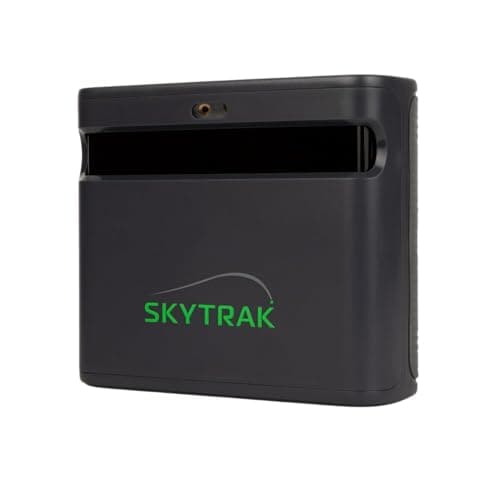
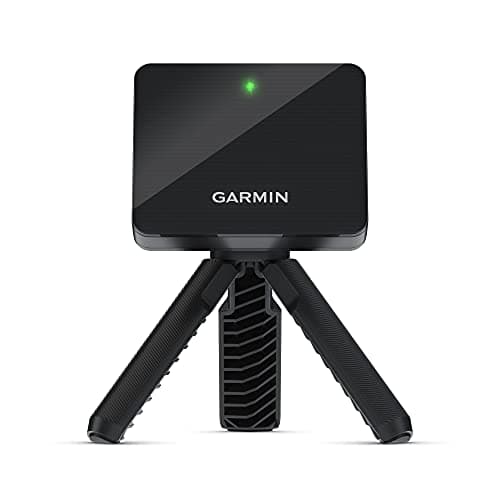
In a home simulator build, this launch monitor is one piece of a larger puzzle that includes a hitting net or impact screen, enough overhead and side clearance, and software to turn its data into a playable round. The unit itself is finished in black, a practical choice that blends into most garage or basement setups without drawing attention. Because it sits off to the side rather than overhead, the space it occupies matters: a full setup with net and screen typically needs a footprint in the range of 14 by 20 feet with about 10 feet of ceiling height, which rules out cramped rooms or low-clearance garages for anyone taking full swings with a driver. That footprint is worth planning around before buying the mat, net, and enclosure that will surround the unit, since retrofitting a space after the fact is far more expensive than measuring first. On the performance side, the available research points to accuracy issues that show up most during net practice sessions and with driver-specific numbers like ball speed and carry distance, so golfers building a setup mainly to dial in full-swing driver data should weigh that limitation against their goals before committing. Everything else in the room, the screen, the hitting mat, and the software rendering the shots, has to be matched around this unit's own behavior rather than treated as an afterthought once the box arrives.
Specifications Explained
The specs that actually matter here are the physical ones, not just the marketing headline numbers. At roughly 1 inch tall, 3.5 inches long, and 2.8 inches wide, this is a genuinely compact unit, small enough to sit on a tripod, a shelf, or the ground next to your mat without eating into your swing space. Weight matters too: at under a pound, it's light enough to move between a garage setup and an outdoor session without hassle, which is worth knowing if you plan to shift locations often. The listing shows a single item included, so budget for your own mat, net, and mounting accessory separately rather than expecting a bundle. The 2021 release date is also useful context: this isn't a brand-new device, so there's a reasonable amount of accumulated user experience and firmware history behind it, though our research doesn't cover specific version changes over that time.
Real-World Considerations
Community feedback centers heavily on setup. Multiple threads describe the R10 as fussy about placement: how level it sits, how far it's positioned from the ball, and how much room exists behind the ball all affect whether readings come out usable. This isn't a one-off gripe, it shows up repeatedly enough to be a real pattern rather than user error in isolated cases. Indoor use compounds the issue. Several reviewers note that spin, distance, and ball-flight numbers get noticeably less consistent in short-flight or simulator setups compared to outdoor sessions, and since the unit calculates spin rather than measuring it directly, some users say they trust that data less indoors specifically. Worth flagging that the research here is mixed rather than unanimous: not everyone reports the same severity of setup or indoor issues, and experiences vary by space and technique. Anyone buying this expecting simulator-grade indoor precision out of the box should read the fine print on placement requirements first.
Alternatives Worth Considering
The research here doesn't give us specific competing launch monitors to name, so we can't tell you a model number is better or cheaper without evidence. What we can say is who should think twice about this one. If indoor use is your main priority, the reported inconsistency in spin, distance, and ball-flight data indoors is worth weighing against a device built specifically for that environment. If you don't want to fuss over exact placement and alignment each session, the sensitivity issues here might push you toward something more forgiving to set up. And if a smooth companion app matters to your workflow, the connectivity and crash complaints are a real factor. At $479 and currently in stock, it's a reasonable price point, but buyers prioritizing rock-solid indoor accuracy or app reliability may want to research alternatives more specialized for those needs.
Buying Advice
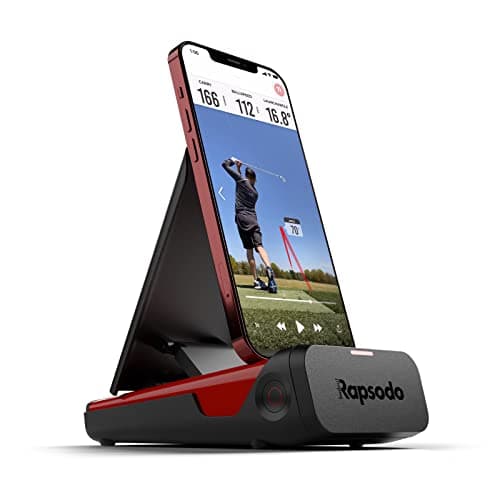
If you're deciding whether the R10 fits your practice routine, think about where you'll actually use it most. Setup precision matters: placement and alignment affect the data you get back, so budget time to dial in positioning before trusting the numbers. Check current user feedback on the companion app and connectivity before buying, since some report friction there. If your priority is driver work or net sessions, weigh the accuracy concerns some owners describe against the fact that other long-term users report solid, dependable results. A unit like the Rapsodo is worth comparing if these tradeoffs give you pause. Before purchasing, confirm current price and stock status on Amazon directly, since both can shift. This isn't a device to buy on impulse: match it to your practice environment and tolerance for setup fuss first.
Considering it? Check the price of Garmin Approach R10, Portable Golf Launch Monitor, Take Your Game Home, Indoors or to The Driving Range, Up to 10 Hours Battery Life - 010-02356-00
$489.50 on Amazon
Frequently Asked Questions
How sensitive is the R10 to alignment and setup?
Placement matters more than some buyers expect: several users report that getting the launch monitor positioned and aligned correctly has a real effect on the numbers it reports, so it helps to follow the setup guidance closely rather than placing it by feel.
What do users say about the companion app and connectivity?
Experiences are mixed. Some golfers describe occasional crashes or lag when pairing the device or syncing a session, which can interrupt a practice round.
Does the R10 have accuracy issues with driver shots or net practice?
This comes up often in user discussions. A number of golfers say driver distance and net-based practice numbers can feel off compared to what they see outdoors on a range or course, though results vary from one setup to another.
Do long-term owners find it reliable?
Plenty do. Some community members say they've owned the R10 for years without a single issue and consider it dependable for their regular practice routine, even as others report the inconsistencies mentioned above.
Editorial Verdict
For the price, the R10 earns its reputation as a sensible entry point into launch monitor technology. Its value proposition holds up: portability and virtual-course extras make it genuinely useful for home practice and range sessions. The caveats are real, though. Setup and alignment demand attention, since small placement errors can throw off readings, and several users note indoor consistency isn't its strong suit, particularly around spin data, which the device estimates rather than measures directly. If you mainly plan to use it outdoors or in a net where placement is easy to dial in, it's a reasonable buy. Expect a fussier experience if indoor simulator accuracy is your priority.