
Detailed Overview
A launch monitor is only half of a simulator setup; the other half is how well it talks to the software that turns swing data into an on-screen ball flight, distance readout, or full course experience. This is where this unit earns its keep. Its software integration is polished rather than an afterthought, meaning the data it captures link cleanly into the simulation programs people actually build their bays around, rather than requiring workarounds or third-party bridges to get a usable picture of a shot. That matters in a home setup because the launch monitor itself doesn't create the graphics or manage the course rendering; it hands off ball and club data to that software layer, and the quality of that handoff determines whether a session feels seamless or clunky. In practice, that means less fiddling with settings between the hardware and whatever simulation platform is running on the connected computer or tablet. One area worth flagging for anyone building a serious short-game setup: high-loft wedge shots can be less consistent than full-swing readings, so golfers leaning heavily on wedge work in their simulator sessions should factor that into expectations rather than assuming uniform accuracy across every club in the bag.
Specifications Explained
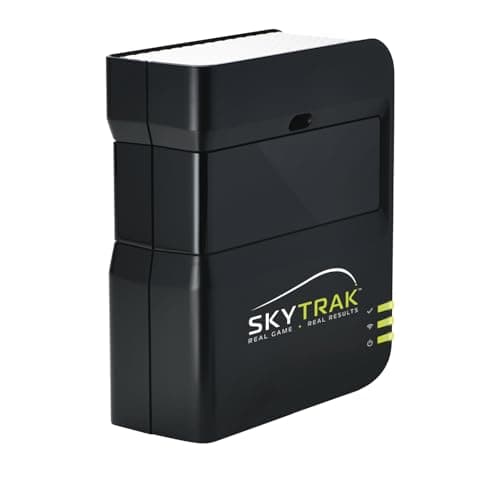
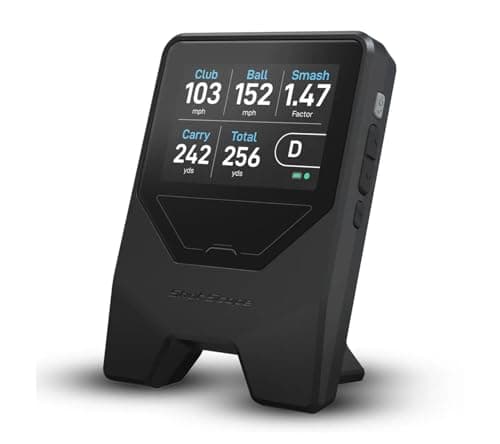
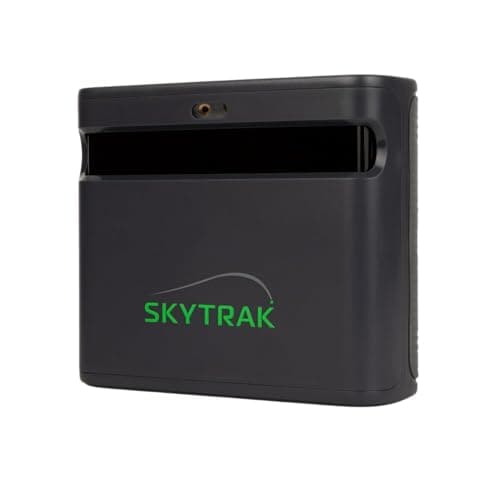
The spec sheet here is short: black finish, five pounds. That weight matters more than it looks, since a lightweight launch monitor is easier to mount, move between a hitting bay and a garage, or store away when not in use, without needing dedicated shelving or a permanent tripod setup. Five pounds also points toward tripod or ceiling-mount installs common in home simulator rooms rather than a heavy floor-standing unit. The black finish is purely cosmetic and won't affect tracking performance.
Beyond weight and color, most of what's circulating about this unit comes from owner discussions rather than a confirmed spec sheet. Community threads describe dual-radar-plus-camera tracking that skips marked balls, a GOLFTEC speed-training module some owners find genuinely useful for tracking swing speed goals, and conveniences like dual USB-C ports for running power and data together. Other threads flag inconsistent lighting causing missed reads and a setup routine that isn't fully plug-and-play, requiring a laptop each session. None of that is settled spec data, so treat it as reported experience. It's built for indoor use only, not outdoor or driving-range practice.
Real-World Considerations
Community sentiment on the ST MAX splits along fairly predictable lines. Several independent reviews frame it as a refinement of the SkyTrak+ rather than a genuine leap forward, since core tracking performance reads about the same between the two units. That comparison feeds the most persistent complaint on forums: the price is hard to justify at full retail when the cheaper model offers similar data. A handful of reviewers also flag wedge shots as less consistent, with ball placement described as fussy in some setups. Lighting comes up occasionally too, with a few threads mentioning misreads under bright or uneven light, suggesting the unit still prefers a controlled indoor space. Setup friction gets minor mentions as well, since it needs an external device running each session rather than true plug-and-play use. None of this reads as universal; sentiment is mixed rather than one-sided, and the available research doesn't settle how common any of these issues actually are.
Alternatives Worth Considering
If price is the sticking point, community discussion often points to the SkyTrak+ as a notably cheaper option with reportedly similar tracking, though I can't verify that comparison against my own testing, only pass along what forum users report. None of these substitute for hands-on verification, so treat that chatter as a starting point for research rather than a verdict. If you actually want outdoor or grass-range practice, look outside this category entirely: this unit and its direct peers are built for indoor bays only, so anyone needing on-course simulation needs a different product line altogether.
Buying Advice
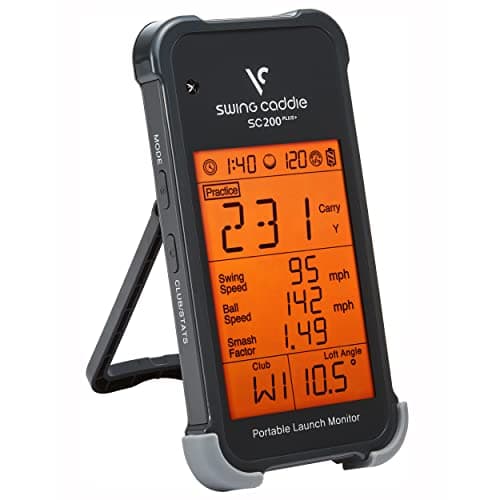
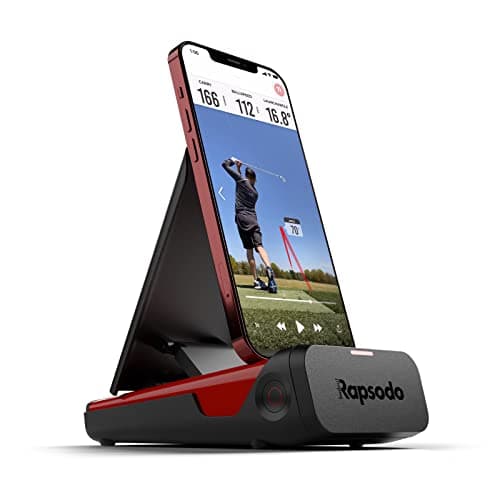
This fits golfers setting up a permanent indoor hitting bay with a laptop or PC nearby, not someone looking to grab a box and go hit in the driveway. The software and simulator integration make it a solid pick for structured off-season practice, and the GOLFTEC speed training module is worth a look if swing speed work is a priority for you. Budget a few minutes for startup and teardown each session since it isn't truly plug-and-play, and keep lighting consistent, since uneven light has been reported to cause misreads in some setups. If price is the deciding factor, some owners argue SkyTrak's own SkyTrak+ delivers similar tracking for less, so it's worth comparing before committing. This unit is built for indoor use only, so if outdoor or grass-range practice matters to you, a Rapsodo launch monitor is the more relevant comparison.
Considering it? Check the price of SkyTrak ST MAX Golf Launch Monitor with 1-Year Software Included
$1,695.00 on Amazon
Frequently Asked Questions
How accurate is the ball and club data from the SkyTrak ST MAX?
The unit pairs dual radar with a camera system, and forum users report it captures full ball and club numbers without needing marked balls or face stickers, holding up well against similarly priced launch monitors in community comparisons. That said, some owners caution that bright or inconsistent lighting can cause missed reads, so steady indoor lighting still matters for consistent results.
What software and simulator integration does the SkyTrak ST MAX offer?
It runs SkyTrak's simulation software and includes the GOLFTEC speed training module, which owners describe as genuinely useful for setting speed or distance goals and tracking progress swing by swing. Dual USB-C ports and a faster processor also let permanent-setup users run data and power at the same time with noticeably snappier performance.
Is there setup friction or a startup and teardown process required each session with the ST MAX?
Some owners note minor friction here, since the unit needs an external device, usually a laptop, which means each session involves a few minutes of startup and teardown rather than a fully plug-and-play experience.
Editorial Verdict
Weigh it all together and the ST MAX earns its keep as a serious home-simulator tool rather than a flashy upgrade for its own sake. The core appeal is consistency: dependable ball and club data without stickers or marked balls, paired with software that integrates cleanly into a permanent bay setup, including native Mac support. The GOLFTEC speed module and refreshed hardware add real value for someone who practices often and wants more than raw numbers. Where it falls short is ambition: the tracking itself is largely the same accurate performance SkyTrak already offered, just polished. That makes it easiest to recommend for golfers building a dedicated simulator space who value refinement and reliability over reinvention, less so for anyone hoping for a fundamentally different experience from the model it replaces.