
Detailed Overview
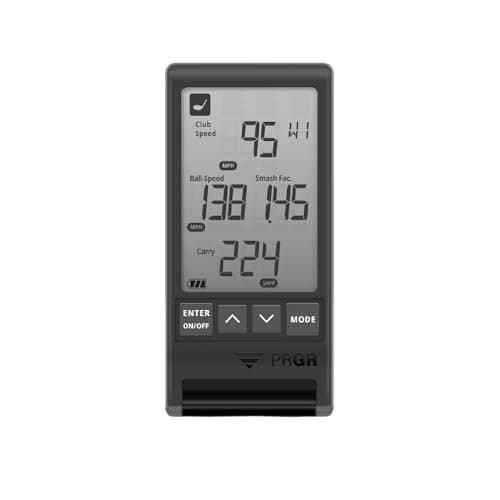
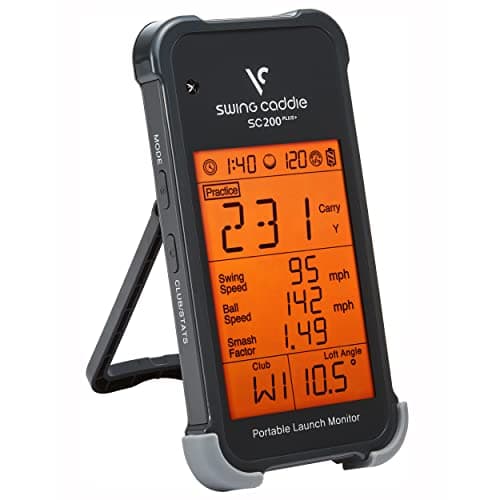
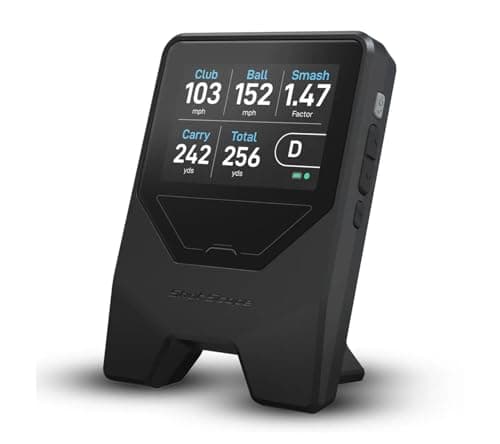
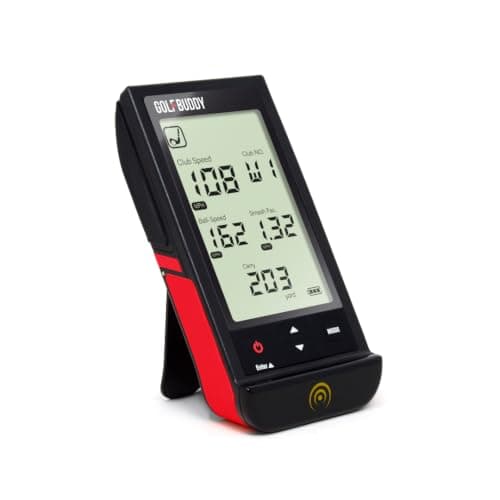
In a home simulator setup, this launch monitor plays a supporting role rather than acting as the centerpiece. It's not projecting your ball flight onto a screen or driving a full simulation package; instead, it sits beside your mat or hitting net and gives you the numbers a simulator screen alone often can't: club speed, ball speed, and distance figures pulled directly from your swing. Because it's genuinely standalone, you don't need to tether it to a phone or laptop to get a session going. That matters in a garage or basement setup where you might not want another app running or another screen competing for attention. You can use it purely on its own terms, then layer in a companion app later if you want to log sessions or track trends over time, without that connectivity ever being a requirement. Physically, it's built to disappear into the rest of your setup rather than dominate it: pocket-sized, sold as a single unit, finished in a black and orange colorway that's easy to spot on a mat or side table. For golfers assembling a simulator space piece by piece, that combination of standalone function and compact footprint makes it easy to slot in alongside a net, mat, or projector setup without adding complexity.
Specifications Explained
The physical dimensions matter more than they seem at first glance. At just over five and a half inches long, under three inches wide, and less than an inch thick, this unit is built to disappear into a golf bag pocket or a desk drawer between sessions, rather than demanding a dedicated shelf or case. That footprint also matters for anyone setting up a home simulator space: there's no need to clear a large area or plan permanent mounting, since the unit sits unobtrusively near the hitting zone. Weight tells a similar story. At under half a pound, it won't add noticeable bulk to a travel bag, and it's light enough to reposition between practice stations without hassle. For buyers weighing this against bulkier, tripod-mounted launch monitors, these numbers translate directly into flexibility: quick setup, easy storage, and portability if you practice in more than one location.
Real-World Considerations
In everyday practice sessions, a few patterns show up across the available research. Comparison write-ups that stack the Shot Mate against pricier competitors, including the Shot Scope LM1, note that it doesn't offer the same depth of analytics or swing diagnostics. If you want detailed shot-shape breakdowns or advanced tracking, that gap is worth knowing about going in. On the accuracy front, some testers flag that numbers can drift from higher-end launch monitors once you move into longer clubs, where ball flight and spin become harder to measure cheaply. That doesn't mean the unit is unreliable, just that it's better suited to casual range sessions and general feedback than to club-fitting-level precision. Worth noting that the sentiment here comes from a small set of comparison and review sources rather than a broad consensus, so treat the analytics and long-club accuracy concerns as reported observations rather than settled conclusions.
Alternatives Worth Considering
If you want something that leans more into modern software polish, look at devices that pair with an app for shot visualization and swing metrics rather than relying purely on a standalone screen. That kind of setup suits golfers who like reviewing sessions on a phone afterward.
For players chasing fitting-grade precision, especially with longer clubs where this unit's numbers get less trustworthy, a higher-priced launch monitor is the safer bet. Those systems cost considerably more but close the gap on total distance and long-club accuracy that budget units struggle with.
If your priority is simply cheap, reliable practice data without fuss, sticking with a low-cost, largely accurate option like this one still makes sense. Our research doesn't cover specific named competitors beyond these general trade-offs, so treat this as a budget-versus-precision decision rather than a brand-by-brand comparison.
Buying Advice
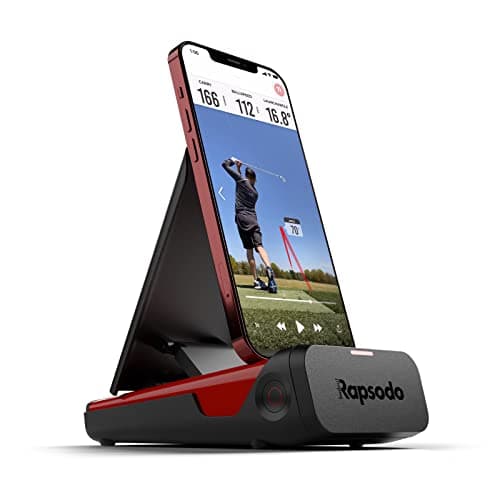
This unit makes the most sense for someone who wants a simple, standalone way to check club speed, ball speed, and carry distance without pairing a phone or juggling apps. That ease of setup is a real advantage if you just want quick feedback at the range. Where opinions diverge is accuracy: some users find the numbers hold up well against pricier devices, while others note it can struggle with longer clubs, so treat it as a practice companion rather than a fitting tool. Total distance readings in particular deserve a skeptical eye. If you need deeper swing analytics or trust in rollout figures, it's worth comparing against something like a Rapsodo launch monitor before deciding. For casual practice on a budget, though, it covers the basics.
Considering it? Check the price of GOLFBUDDY Shot Mate Launch Monitor – Doppler Radar Golf Swing Analyzer, Ball & Club Speed, Smash Factor, Carry Distance, TFT LCD Display, Practice/Target Modes, 1,000 Shot Storage, 10Hr Battery
$179.99 on Amazon
Frequently Asked Questions
How accurate is the GolfBuddy Shot Mate compared to premium launch monitors?
Testers who've put it next to pricier units say ball speed and carry distance numbers hold up better than expected for the price, though several note the readings can drift on longer clubs. Treat it as a solid practice companion rather than a fitting-grade measurement tool.
Is the total distance (rollout) reading from the GolfBuddy Shot Mate reliable?
Not fully. Reviewers point out that the rollout added onto carry to produce total distance tends to run a bit generous, so the carry number alone is the figure you can trust most when checking your yardages.
Editorial Verdict
The GolfBuddy Shot Mate earns its keep as a budget practice tool rather than a fitting-grade instrument. Its screen delivers immediate, readable feedback on ball speed, club speed, smash factor and carry, and testers found those core numbers hold up surprisingly well against pricier hardware. The catch is total distance: rollout figures run generous, so treat carry as the trustworthy number and total yardage with skepticism. It also trails competitors like the Shot Scope LM1 on deeper analytics, and longer-club accuracy won't match premium monitors. For golfers who just want simple, subscription-free numbers to sharpen practice sessions without spending big, it's a sound pick. Anyone chasing detailed swing diagnostics or fitting-level precision should look higher up the price ladder.