
Detailed Overview
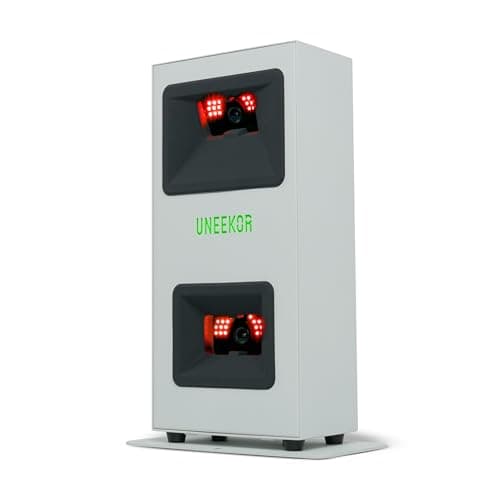
In a home simulator build, the EYE MINI CORE sits at the center of the whole chain: it captures the ball and feeds that data to the software running your screen, whether that's a simple net-and-projector setup or a full enclosure. Because it plugs into a Windows PC or laptop rather than an iPad, the unit is really an accessory to your PC, so anyone building a system around this launch monitor needs to plan for a dedicated Windows machine rather than assuming tablet flexibility. That PC-based approach pays off in compatibility: the CORE works with GSPro, TGC19, E6 Connect, and Creative Golf 3D, so it slots into most of the popular simulator ecosystems golfers already use rather than locking you into one closed platform. Setup itself is straightforward plug-and-play, which matters in a home simulator context where you're also managing a mat, screen, projector alignment, and cabling. Overall, it's designed to be the sensor layer of a larger DIY or semi-permanent simulator setup rather than a standalone product.
Specifications Explained
The numbers that matter most for a home setup are the footprint and weight, not the color. At 6.5 inches long and 3.38 inches wide, the unit has a small enough base that it fits on a standard camera tripod or a slim shelf mount without eating into your hitting area, which matters in a garage or basement bay where every inch of clearance counts. The 8.4-pound weight is light enough to move between a permanent mount and a portable stand if you're not committing to a dedicated room, but it also means mounting hardware needs to be secure since a lighter unit is more prone to vibration or drift if the tripod isn't rated for it. For anyone converting a shared space rather than building a purpose-built simulator room, these dimensions are the practical difference between an easy install and a cramped one.
Real-World Considerations
Across the reviews we found, the recurring real-world theme is the trade-off between simplicity and depth. Several comparison pieces note that the CORE gives up deeper swing-analysis and club-tracking features in exchange for fast, straightforward ball data, which matters if you're a coach or a golfer who wants to audit swing mechanics rather than just see where the ball went. That same trade-off shows up again in software: at least one roundup flags that the simulator add-ons and software environment require separate subscriptions, so the attractive hardware price isn't the full cost of ownership once you start layering on the packages needed for full simulator play. Taken together, these sources point to a consistent pattern: the CORE is being evaluated as a ball-flight tool first, not a comprehensive practice system. We don't have enough independent user sentiment here to say how buyers feel about long-term software costs or support, so treat that as an open question rather than a settled one.
Alternatives Worth Considering
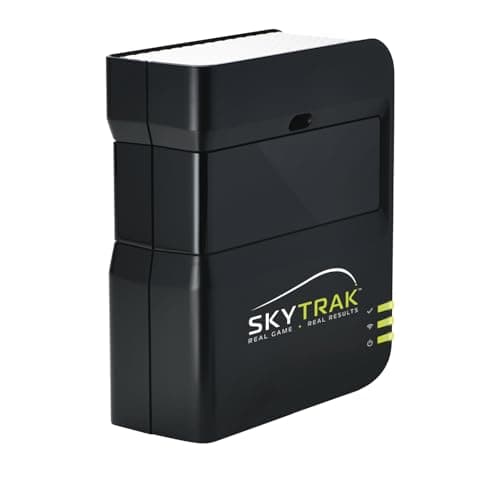
If club-head data matters to your practice routine, look at Uneekor's higher-end EYE MINI variants; some reviewers say they add clubhead tracking the Core skips, though the research here doesn't confirm exact specs or pricing gaps between the two. Buyers wanting a more established ecosystem might consider SkyTrak+, which sits at a higher price point and, based on community chatter, avoids the uncertainty some Core buyers report about its Amazon-only distribution and long-term support. For anyone on a tighter budget who mainly wants dependable ball flight numbers for casual simulator sessions, the Core's low entry price remains the draw, as long as you're comfortable pairing it with GSPro or another compatible platform. If you need iPad flexibility rather than a dedicated Windows setup, this isn't the right pick; a mobile-first launch monitor built for tablets would suit that use case better.
Buying Advice
This unit fits buyers who want camera-based ball tracking for a home simulator but don't need deep clubhead analytics or coaching-grade video. If your priority is dialing in carry distance, ball speed, launch, and spin for practice or casual simulator play, that's squarely in its lane. If you're a coach or a player who leans on clubhead data to fix swing faults, look at a higher-tier Uneekor model or a competing system instead, since this one trades that feature set for a lower price point. Before buying, confirm current pricing and stock on Amazon, as both can shift. Also verify which simulator software you intend to run: our research doesn't spell out every supported title, so check compatibility directly with Uneekor. The same goes for PC requirements, confirm what your setup needs before committing. Factor in that software subscriptions can add to the total cost beyond the sticker price.
Considering it? Check the price of Uneekor EYE MINI CORE Golf Launch Monitor & Simulator, 15 Ball Data Points, Near-Zero Latency, Works with GSPro, TGC19 & E6
$1,249.00 on Amazon
Frequently Asked Questions
Which simulator software programs is the Uneekor EYE MINI CORE compatible with?
Users report pairing it with platforms like GSPro, though only Uneekor's own View practice-range software comes included, so tapping into broader simulator integrations typically means paying a separate subscription or annual fee on top of the hardware cost.
Editorial Verdict
The EYE MINI CORE earns its keep by doing one thing well: fast, accurate ball data at a price that undercuts pricier camera-based systems. If your priority is dialing in distances and shot shape in a compact setup without waiting on readings between swings, it delivers. The trade-off is real, though. Skip this if you need clubhead metrics or detailed swing auditing, since that data simply isn't part of the package, and you'll want to budget for simulator software subscriptions on top of the hardware cost. Golfers coaching others or chasing comprehensive numbers should look at higher-tier EYE MINI models or a system built around club tracking. For solo practice, casual simulator play, or anyone prioritizing ball-flight accuracy over swing analytics, the CORE is a sensible, well-targeted buy rather than a compromise.